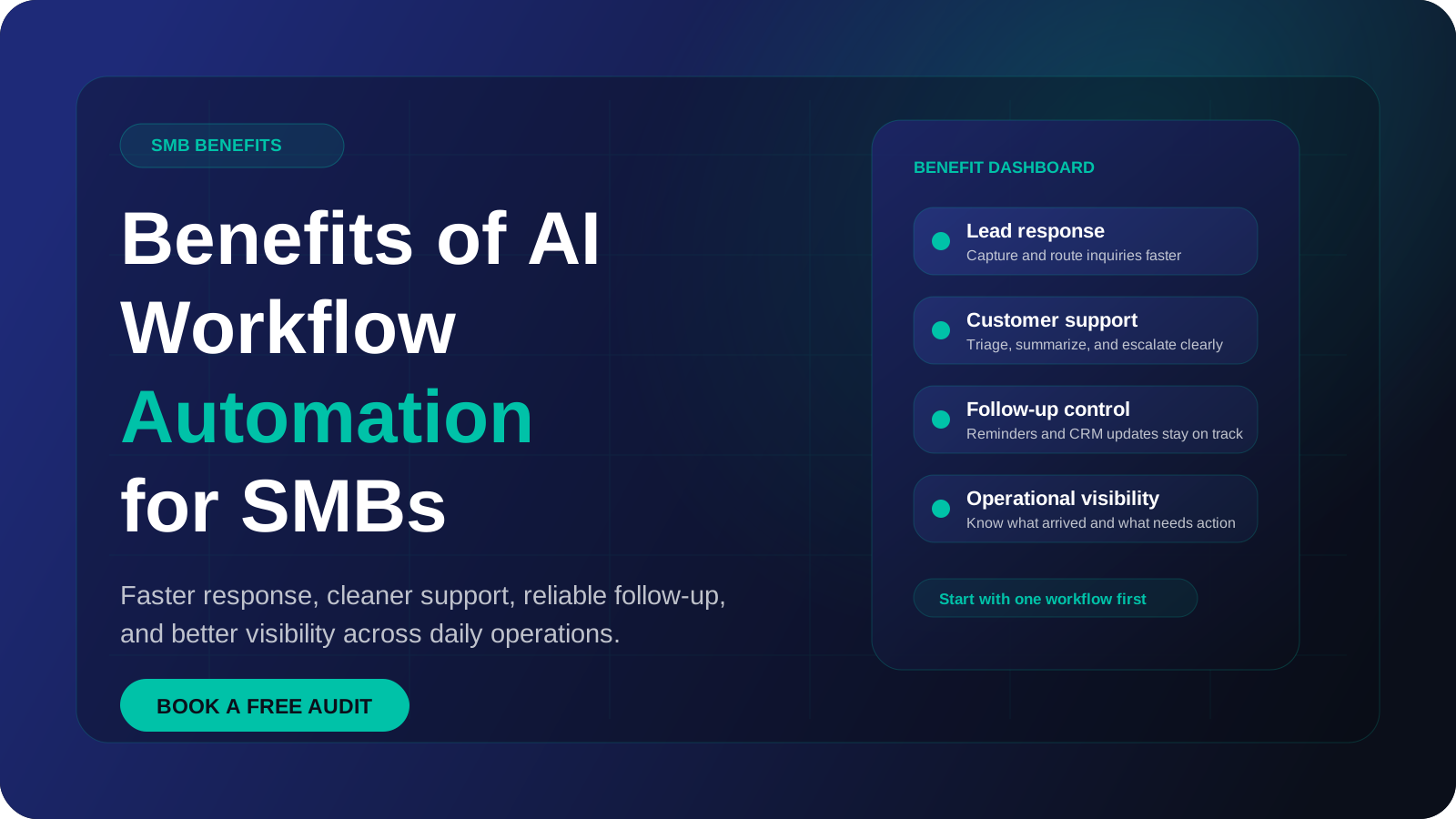
The main benefits of workflow automation for a small or medium business are less re-typing between tools, faster replies to customers, fewer data-entry errors, follow-up that happens every time, and a record of what was done. Each one comes from a specific mechanism, and each one only appears under certain conditions. This guide explains both, so you can judge which benefits your business would really get.
The practical benefits show up in daily operations
For SMBs, AI workflow automation is most valuable when it improves speed, consistency, support quality, and visibility across repeated work.
What are the benefits of workflow automation?
Workflow automation means software moves information between your tools and carries out routine steps without a person doing each one by hand. If you want the full definition first, read our guide on what AI workflow automation is.
The benefits of automation are easy to overstate. Each one below is paired with where it comes from and when it fails to show up.
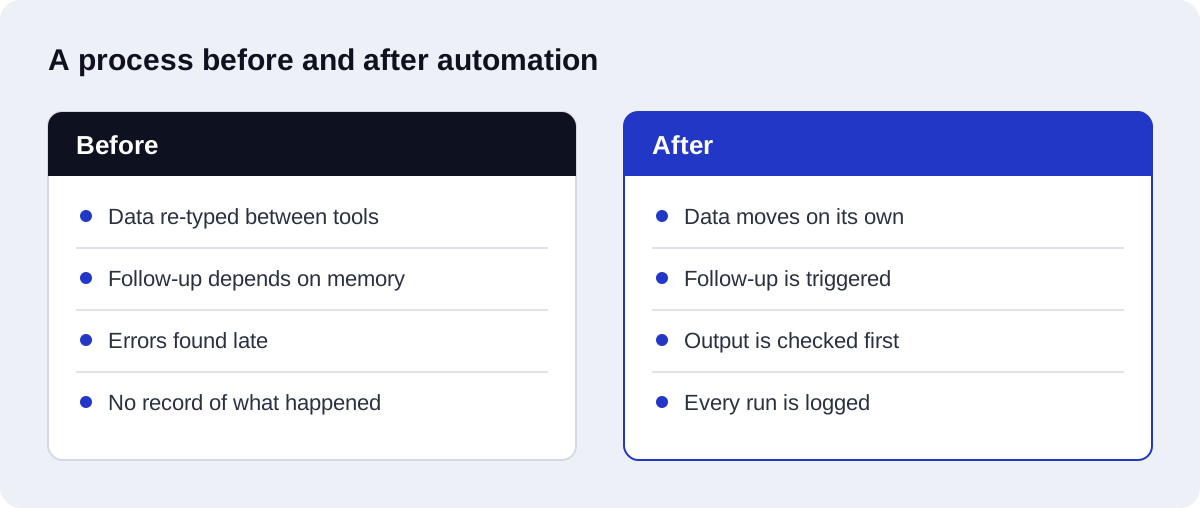
Less re-typing between tools
Mechanism: most small businesses run on several tools that do not talk to each other: a form, an inbox, a spreadsheet, a CRM, an invoicing app. A person copies the same details from one to the next. An automation reads the data once at the source and writes it to every place it needs to go.
When it appears: when the same information is entered in two or more systems, and those systems have an API or a connector.
When it does not: when the data only lives in one place, or when a tool has no way for software to write to it.
Faster response to customers
Mechanism: a workflow starts the moment a trigger fires. A form submission, a missed call or a new message can produce an acknowledgement, a routed ticket or a booking link without waiting for someone to check the inbox.
When it appears: when the delay today is caused by nobody noticing the enquiry, or by office hours.
When it does not: when the delay is caused by a decision only a person can make, such as a custom quote. Automation can acknowledge and collect details quickly, but the real answer still waits for the person.
Fewer data-entry errors
Mechanism: copying by hand produces typos, swapped fields and skipped rows. An automation copies the same way every time and can check formats before writing, for example rejecting an email address with no domain.
When it appears: when errors come from transcription and the source data is reasonably clean.
When it does not: when the source data is wrong to begin with. An automation copies a bad phone number as faithfully as a good one. Without validation steps, it also spreads errors faster than a person would.
Consistent follow-up
Mechanism: people follow up when they remember and when they have time. A workflow follows up on a schedule: a reminder two days after a quote, a review request after a job closes, a nudge on an unpaid invoice.
When it appears: when follow-up is currently skipped during busy weeks, and when the rules for who gets which message are clear.
When it does not: when the workflow cannot tell that the customer has already replied, paid or complained. Follow-up that ignores what has happened since annoys people. The stop conditions matter as much as the schedule.
A record of every run
Mechanism: automation platforms log each execution: what triggered it, what data passed through, which step failed. You get an audit trail without anyone keeping notes.
When it appears: when someone looks at the logs, and when failures raise an alert.
When it does not: when logs are never checked and errors fail silently. A record nobody reads is not a control.
More volume with the same team
Mechanism: a manual process takes roughly the same effort per item, so more orders means more hours. An automated step costs almost nothing extra per item, so volume can grow without the admin growing with it.
When it appears: when the bottleneck is the routine step you automated.
When it does not: when the bottleneck is elsewhere, such as delivery capacity or approvals. Automating intake faster than you can fulfil only lengthens the queue further down.
Staff time moved to work needing judgement
Mechanism: hours spent copying, chasing and sorting are freed for selling, solving problems and looking after customers.
When it appears: when you decide in advance what the freed time is for.
When it does not: when the time is absorbed by checking the automation, or simply disappears into other admin.
Benefit, source and what undermines it
| Benefit | Where it comes from | What undermines it |
|---|---|---|
| Less re-typing | Data read once and written to every tool | Tools with no API, data that lives in one place only |
| Faster response | Workflow starts on the trigger, any hour | Replies that need a human decision anyway |
| Fewer errors | Identical copying plus format checks | Bad source data, no validation step |
| Consistent follow-up | Scheduled messages with clear rules | Missing stop conditions when the customer has already acted |
| Record of every run | Execution logs kept by the platform | Nobody reviews logs, no failure alerts |
| More volume, same team | Near-zero extra effort per item | Bottleneck sits in a step you did not automate |
| Time for judgement work | Routine hours removed | No plan for the freed time, heavy manual checking |
What does AI add on top of rule-based automation?
Rule-based automation follows fixed instructions: if this field equals that value, do this. It works well when inputs are structured. It breaks when the input is free text, such as an email written in a customer's own words.
An AI step uses a language model to handle that unstructured input. In practice it does four things:
- Reading: taking in an email, a PDF or a chat message and working out what it is about.
- Classifying: sorting it into a category, such as sales enquiry, support request or spam.
- Extracting: pulling out the name, date, order number or amount and placing them in fields.
- Drafting: writing a first version of a reply, summary or note for a person to send or approve.
This widens what can be automated. Workflow automation benefits that used to stop at "the customer filled in the form correctly" can now reach messages that arrive in any shape. Our AI workflow automation work mostly combines the two: rules for the predictable parts, a model for the reading.
What extra risk does AI bring?
A rule gives the same output for the same input. A model does not always. It can misclassify a message, extract the wrong figure, or draft a reply that sounds confident and is wrong.
The practical consequences:
- Outputs need validation, such as checking that an extracted date is a real date.
- Low-confidence or high-stakes cases should go to a person.
- Anything sent to a customer in the model's own words deserves a review step until you trust it.
- Model usage is billed per token processed, so cost rises with message length and volume. See the OpenAI API pricing page for how that is counted.
What are the costs and downsides?
An honest view of the benefits of workflow automation includes what it costs.
Build effort. Someone has to map the process, handle the exceptions, connect the tools and test with real data. The exceptions take most of the time.
Maintenance. Workflows are not finished when they go live. Tools change their APIs, staff rename spreadsheet columns, passwords and tokens expire. Someone has to own each workflow and fix it when it stops.
Brittle integrations. Connections between tools are the weakest part. A changed field name or a rate limit can stop a workflow without any visible sign unless you have alerts set up.
Over-automation. Some steps are better left to people: sensitive customer conversations, unusual cases, anything where a mistake is expensive. Automating a process that happens twice a month rarely repays the effort. Automating a broken process only produces the broken result faster.
Platform costs. Pricing models differ. n8n Cloud prices by workflow executions, where one run of a whole workflow counts once however many steps it has. Zapier prices by tasks, where each successfully completed action uses a task. The same workflow can cost quite differently on each. Our comparison of n8n vs Zapier for AI automation goes into this.
Which processes show the benefits first?
The quickest returns come from processes that share these traits:
- They happen often, daily or many times a week.
- The steps are the same each time and can be written down.
- The inputs arrive digitally, through a form, email or message.
- The tools involved can be connected.
- A mistake is easy to spot and cheap to fix.
Typical first candidates in workflow automation for small business:
| Process | Why it suits a first build | Main benefit to expect |
|---|---|---|
| Lead capture to CRM | Clear trigger, structured data | Less re-typing, faster response |
| Enquiry acknowledgement and routing | High frequency, simple rules | Faster response |
| Appointment reminders | Fixed schedule, clear stop conditions | Consistent follow-up |
| Quote and invoice follow-up | Often skipped by hand | Consistent follow-up |
| Order or job status updates | Same message, different details | More volume with the same team |
| Weekly reporting from several tools | Repetitive collation | Time moved to judgement work |
Lead handling is the most common starting point, and it is what our AI-driven CRM automation service covers. For where manual handling still makes sense, see workflow automation vs manual processes.
How do you measure each benefit?
Do not rely on other companies' figures. Record your own baseline for two to four weeks before you build, then measure the same thing after.
| Benefit | Metric to track |
|---|---|
| Less re-typing | Manual touches per record, minutes of handling per record |
| Faster response | First response time, time to qualified reply |
| Fewer errors | Error rate per batch of records, corrections made after entry |
| Consistent follow-up | Follow-up completion rate, leads with no contact after a set period |
| Record of every run | Execution success rate, time to detect a failure |
| More volume | Items processed per person per week, backlog size |
| Time for judgement work | Admin hours per week by role |
Also track the cost side: platform fees, model usage, and the hours spent maintaining workflows. A benefit only counts if it is larger than what it costs to keep running.
How should a small business start?
Start with one process. Not a programme, not a roadmap of twenty workflows.
- Pick one process that is frequent, repetitive and annoying. Ask the person who does it.
- Write down the steps as they really happen, including the exceptions. Our guide to mapping your operations for AI workflow automation shows how.
- Record the baseline using the metrics above.
- Fix the process first if it has steps nobody can explain.
- Build the simplest version that handles the common case, and send everything else to a person.
- Add validation, error alerts and a named owner before it goes live.
- Run it alongside the manual process for a short period and compare results.
- Measure again, then decide whether to extend it or move to the next process.
How Axenor AI approaches workflow automation
Axenor AI is a founder-led studio. Every system is built by its founder, Haseeb Sagheer, a software engineer who works remotely with clients. He has built internal automation tools of his own, including a script-to-video pipeline and a tool that assembles CapCut video projects automatically, and has shipped his own products.
The approach follows this article: one process first, mapped properly, with validation, error handling and a human handoff built in from the start. Builds use n8n where a visual workflow suits the job, through our n8n automation services, and Python, FastAPI and the OpenAI API where custom logic is needed. Focused builds usually take 3 to 10 days.
Pricing is stated up front. The Starter automation is $299 and the Growth package is $699. Workflow automation setup ranges from $500 to $2,000 depending on scope, and ongoing support is available on a Retainer at $350 per month. Custom AI agents and RAG assistants are scoped with a fixed price after a consultation.
If you are not sure which process to pick, our AI automation consulting helps you choose one. You can look through client reviews and our work, or book a free automation audit to talk through one process and find out whether automating it is worth it.