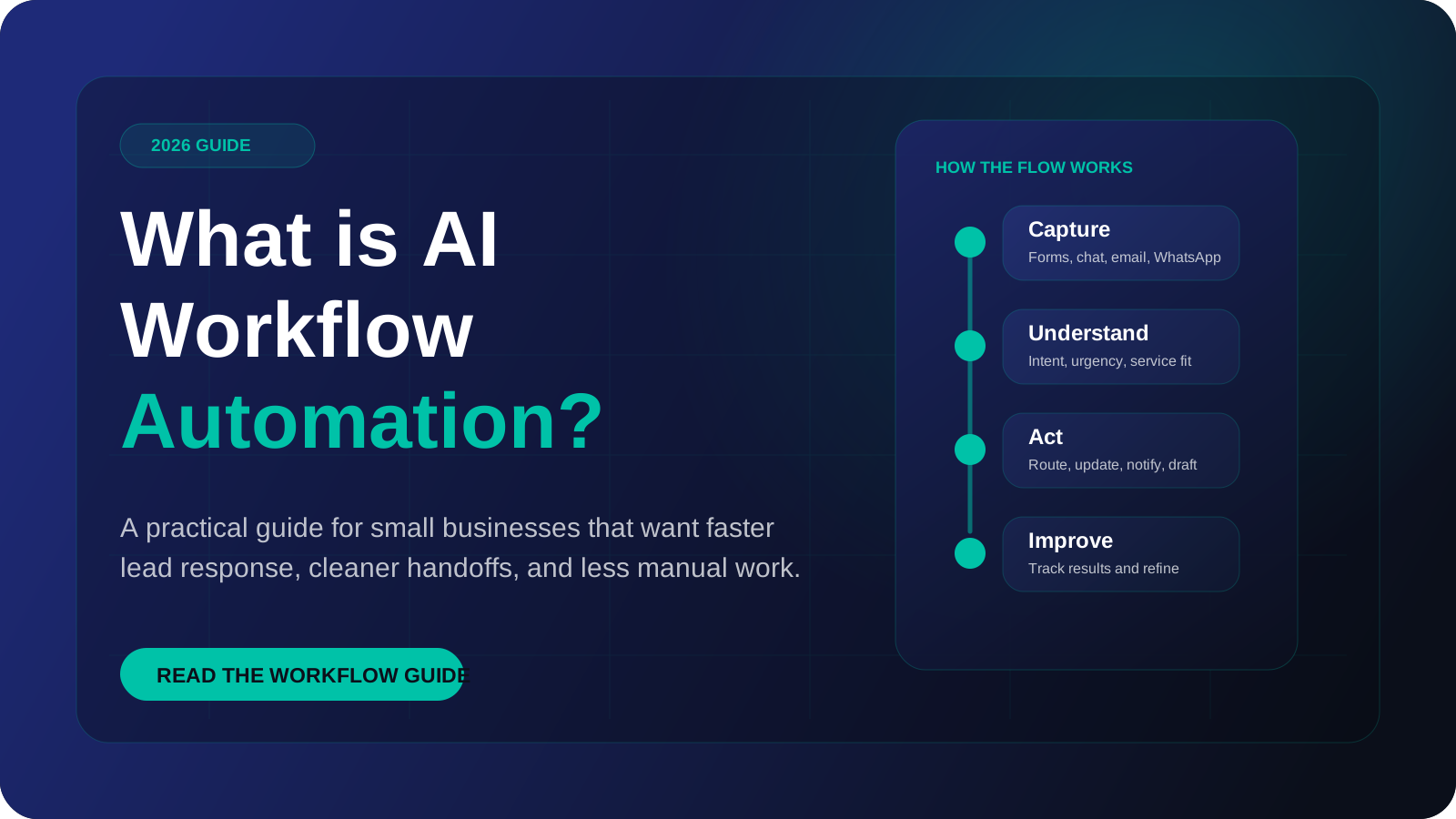
If you are asking what is workflow automation, the short answer is this: software carries out a repeatable sequence of business steps, moving data between your tools, without a person doing each step by hand. AI workflow automation is the same thing with one or more steps handled by a language model, so the workflow can read and act on free text such as emails and chat messages. This guide explains the parts, the limits and how to start.
AI workflow automation turns repeated work into a managed flow
A practical automation system captures information, understands the context, triggers the next step, and improves based on what happens.
What is workflow automation?
A workflow is a set of steps that turns an input into an outcome. A customer fills in a form, the details go into a CRM, a salesperson is notified, a confirmation email is sent. Done by hand, each step relies on someone noticing, copying and remembering.
Workflow automation hands those steps to software. Something happens, the software detects it, and a defined sequence runs. The rules are fixed in advance: if the form says "wholesale", notify the wholesale team. The same input always produces the same result.
This kind of automation works well with structured data, meaning information that arrives in named fields. It struggles when the input is a paragraph someone typed in their own words.
What is AI automation, and how is it different?
AI automation adds a language model to the workflow. The model handles the parts that fixed rules cannot: understanding what a message is about, pulling details out of it, and writing text in response.
So AI workflow automation is not a replacement for ordinary automation. It is ordinary automation with a reading and writing ability added at specific steps. The trigger, the data movement and the final actions are still plain software. The model sits in the middle, where interpretation is needed.
Rules decide by matching, which is predictable. A model decides by interpreting, which is flexible but can be wrong.
What are the parts of a workflow?
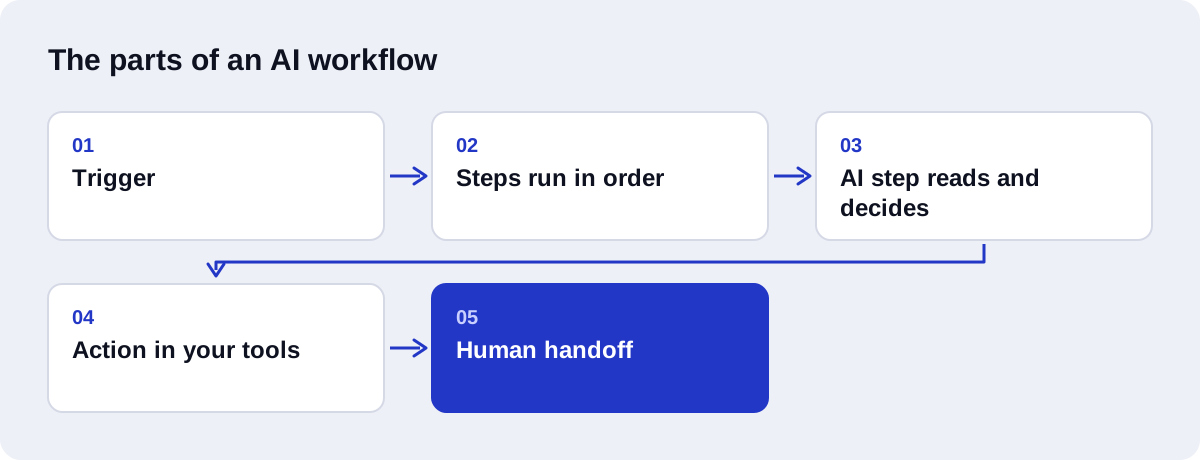
Every workflow, with or without AI, is built from the same four parts.
| Part | What it is | Example |
|---|---|---|
| Trigger | The event that starts the workflow | A new form submission, an incoming email, a scheduled time |
| Steps | The operations performed in order | Look up the customer, format the data, call a model |
| Conditions | Checks that decide which path to take | If the enquiry is a complaint, route to support |
| Actions | The changes made in other systems | Create a CRM record, send an email, post a notification |
A trigger can be instant, where another tool pushes an event to the workflow through a webhook, or scheduled, where the workflow checks for new items at set intervals.
Steps pass data to each other. The output of one step becomes the input of the next. This is where most faults occur: a step expects a field that the previous step did not provide.
Conditions create branches. A good workflow has a branch for the normal case, branches for the known exceptions, and a final branch for everything else that sends the item to a person.
What does an AI step do inside a workflow?
An AI step sends text to a language model with instructions and receives a result the next step can use. There are five common jobs.
| AI step | What it does | One-line example |
|---|---|---|
| Classify | Assigns a category | Label an incoming email as sales, support, billing or spam |
| Extract | Pulls specific details into fields | Take the name, company and budget out of an enquiry |
| Summarize | Shortens long content | Reduce a long email thread to a few lines for the account manager |
| Decide | Chooses between defined options | Pick which team should handle a request, given a written policy |
| Draft | Writes text for review or sending | Prepare a reply that answers the customer's question |
Two details matter in practice. First, the model should return its answer in a fixed structure, such as named fields, so the next step can read it reliably. Second, "decide" should mean choosing from a short list you defined, not open-ended judgement.
When an AI step needs your company's own information, such as policies or product details, it can be connected to a retrieval system that finds the relevant documents first. That is what RAG development covers.
Rule-based automation vs AI workflow automation vs AI agents
These three are often confused. The difference is who decides what happens next.
| Rule-based automation | AI workflow automation | AI agents | |
|---|---|---|---|
| Who sets the path | You, fully in advance | You, with a model handling certain steps | The model chooses steps toward a goal |
| Input it handles | Structured fields | Structured fields and free text | Open-ended requests |
| Predictability | High | Medium to high | Lower |
| Testing effort | Low | Moderate | High |
| Typical use | Syncing data, notifications, reminders | Triage, extraction, drafted replies | Research, multi-step tasks with tools |
| Main risk | Breaks on unexpected input | Model misreads an input | Agent takes a wrong or costly action |
An AI workflow follows a path you designed. An AI agent is given a goal and a set of tools, and it works out the path itself. Agents suit tasks where the steps cannot be known in advance. They also need tighter limits and more testing. For most small businesses, a workflow with a few AI steps is the right first build, and AI agent development comes later if the task demands it. Our article on AI agents vs chatbots covers a related distinction.
How does an AI workflow run, step by step?
Here is one illustrative workflow: an enquiry arrives through a website form and ends as a CRM record and a reply.
- Trigger. The visitor submits the form. The form tool sends the data to the workflow through a webhook.
- Validate the input. The workflow checks that the email address has a valid format and the message is not empty. Failed checks are logged and stopped.
- Check for duplicates. The workflow looks up the email address in the CRM. If the contact exists, the enquiry will be attached to that record.
- Classify. An AI step reads the message and labels it: new sales enquiry, existing customer support, supplier pitch or spam.
- Extract. A second AI step pulls out the service of interest, timeline and company name, and returns them as named fields.
- Validate the output. The workflow checks that the label is one of the allowed values and the required fields are present. If not, the item goes to a person.
- Condition. Sales enquiries follow the sales path. Support requests go to the helpdesk. Spam is archived.
- Action: CRM record. The workflow creates or updates the contact and adds a deal with the extracted details and a short summary.
- Draft the reply. An AI step writes a reply that acknowledges the request and asks one missing question.
- Human handoff. The draft goes to the salesperson for approval. A plain acknowledgement can be sent automatically in the meantime.
- Log. The run is recorded with its inputs, outputs and any errors.
This is the pattern behind most AI-driven CRM automation. Only three of the eleven steps use a model. The rest are ordinary checks and data movement.
What can it automate, and what can it not?
It handles well:
- Frequent, repetitive tasks with clear steps.
- Moving and reformatting data between connected tools.
- Sorting and routing incoming messages.
- Pulling details out of emails, forms and documents.
- First drafts of routine replies and summaries.
- Reminders and follow-up on a schedule.
It handles poorly or not at all:
- Decisions that depend on context nobody has written down.
- Negotiation, complaints and other sensitive conversations.
- Processes that change every time they run.
- Work inside tools that offer no API or connector.
- Tasks where a single error is very costly and hard to detect.
- Guaranteeing factual accuracy in generated text without checks.
A simple test: if you can explain the task to a new employee in a short written procedure, it can probably be automated. If the honest explanation is "you get a feel for it", it probably cannot yet.
Why do validation, error handling and human handoff matter?
A workflow that works in a demo and a workflow that can be trusted in daily use differ in these three things.
Validation checks data before it is used. Inputs are checked on the way in, and model outputs are checked before they reach your CRM or a customer. Without it, one bad record spreads through every connected tool.
Error handling decides what happens when a step fails. APIs time out, limits are hit, logins expire. A workflow should retry where sensible, stop safely where not, and alert a named person.
Human handoff sends uncertain or high-stakes items to a person with the context attached. It is a designed part of the workflow, not a sign of failure.
What are the main tools?
Three options cover most small business needs.
n8n is a workflow platform with a visual editor. It is source-available under a fair-code Sustainable Use License and can be self-hosted or used as a cloud service. It includes AI agent, tool, memory and vector store nodes. n8n Cloud pricing is based on workflow executions, where one run of a whole workflow counts once regardless of the number of steps.
Zapier is cloud-hosted and built for quick setup by non-developers. It prices by tasks, where each successfully completed action uses a task, so long workflows consume more.
Custom Python means writing the workflow as code, often with a framework such as FastAPI. It gives full control over logic, testing and data handling, and suits processes that outgrow a visual tool. It needs a developer to build and maintain it.
Whichever you choose, the language model is billed separately by its provider, by tokens processed. Our comparison of n8n vs Zapier for AI automation goes further into the trade-offs.
When should a business start, and with what?
Start when you can name one process that is frequent, follows the same steps each time, and takes up time someone would rather spend elsewhere.
Good first workflows share a few traits: the input is already digital, the tools can be connected, and a mistake is easy to spot and fix. Lead capture, enquiry routing, appointment reminders and invoice follow-up are common choices.
Before building, write the process down as it really runs, including exceptions. Our guide to mapping your operations for AI workflow automation explains how, and the article on the benefits of workflow automation covers what to measure.
What mistakes do businesses commonly make?
- Automating a broken process. The faults run faster and more often.
- Starting too big. Many workflows at once means none are tested properly.
- Using AI where a rule would do. If the input is a dropdown value, a condition is cheaper and more reliable.
- Skipping validation of model output. Unchecked text ends up in customer records.
- No owner. Nobody notices when the workflow stops.
- No failure alerts. Errors pile up unseen.
- Sending AI-written replies with no review before the drafts have earned trust.
- Ignoring usage costs. Executions, tasks and tokens all add up as volume grows.
Glossary of terms
| Term | Meaning |
|---|---|
| Trigger | The event that starts a workflow |
| Webhook | A web address that receives data from another tool the moment an event happens |
| API | The interface that lets one piece of software read from or write to another |
| Execution | One complete run of a workflow, from trigger to finish |
| Task | A single successfully completed action, used as a billing unit on some platforms |
| Token | A small chunk of text; language models measure and bill usage in tokens |
How Axenor AI approaches AI workflow automation
Axenor AI is a founder-led studio. Every system is built by founder Haseeb Sagheer, a software engineer who works remotely and has built his own internal automation tools, including a script-to-video pipeline, and shipped his own products.
Each build starts with one mapped process and includes validation, error handling and a human handoff by default. We use n8n for visual workflows through our n8n automation services, and Python, FastAPI, the OpenAI API, LangChain and Pinecone where custom logic or retrieval is needed. Focused builds usually take 3 to 10 days.
Our AI workflow automation pricing is published: Starter automation at $299, the Growth package at $699, workflow automation setup from $500 to $2,000, and a Retainer at $350 per month for ongoing support. Custom AI agents and RAG assistants are scoped with a fixed price after a consultation.
To see whether one of your processes is a good fit, book a free automation audit.