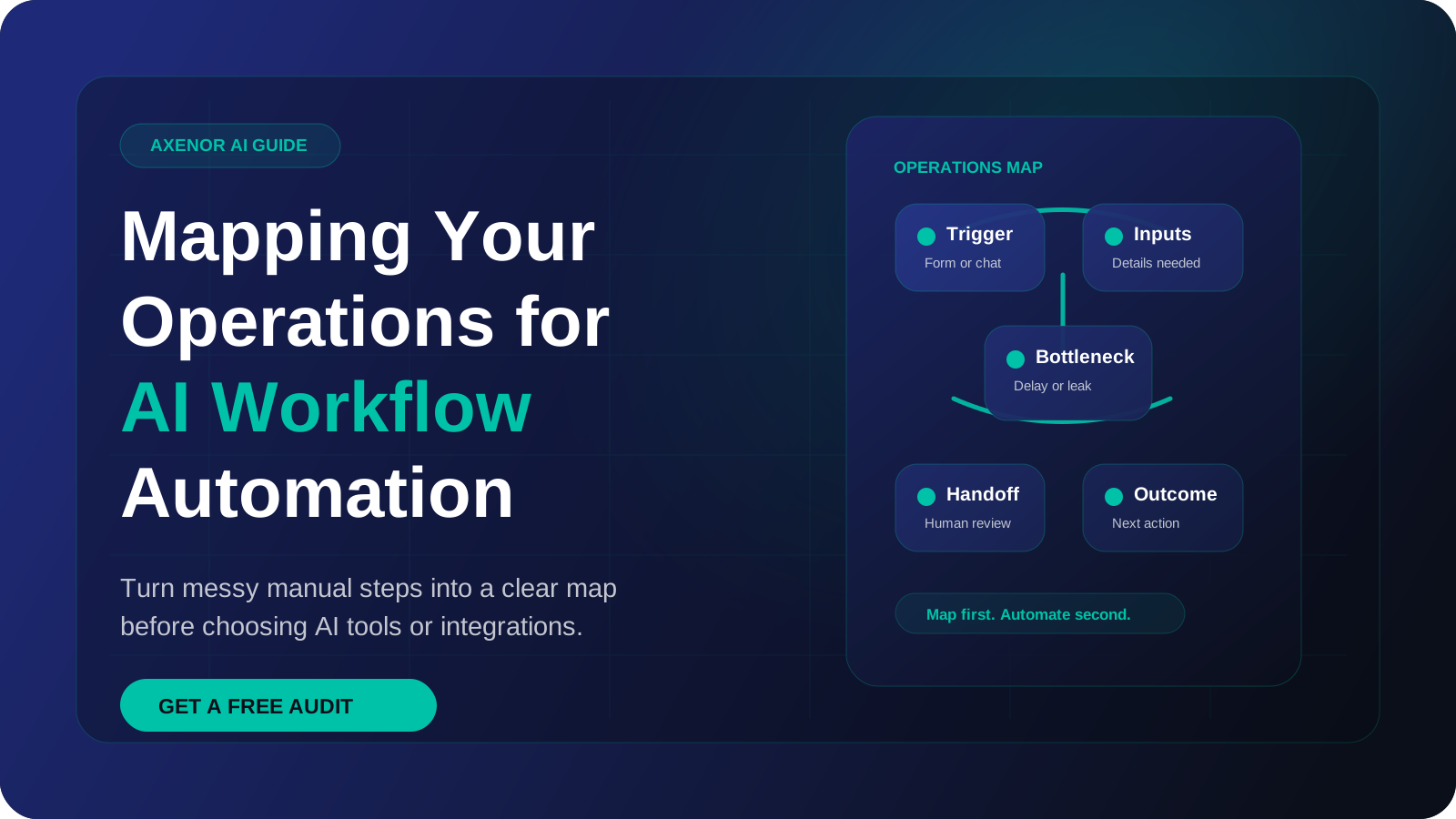
Workflow mapping is the practice of writing down one process exactly as it runs today: what starts it, every step in order, who does each step, which tool they use, and what comes out. You do it before automating because an automation can only follow instructions that someone has made explicit. A good map takes an afternoon and tells you which steps to automate, which to leave with a person, and what a builder needs to know.
What is workflow mapping, and how is it different from process mapping?
The two terms overlap, and many people use them interchangeably. The useful difference is the level of detail.
Process mapping, or business process mapping, usually describes how work moves across a department or a whole company. It answers questions like "how does an order get from sales to fulfilment?"
Workflow mapping zooms into one stage, such as "qualify lead", and records the individual actions. That stage becomes: open the notification email, copy the name and phone number into the CRM, read the message, decide whether it is a real enquiry, choose a reply template, edit it, send it, set a reminder.
| Process mapping | Workflow mapping | |
|---|---|---|
| Scope | A department or end-to-end business process | One task sequence with one trigger and one outcome |
| Level of detail | Stages and handoffs between teams | Individual actions, fields, and tools |
| Main question | Where does work flow and who owns it? | What exactly happens, in what order, with what data? |
| Output | A high-level diagram | A step table precise enough to build from |
For automation you need the second kind. A box that says "qualify lead" cannot be built. A row that says "if the message mentions a budget or a timeline, mark as hot" can.
Why map before you automate?
There are three practical reasons.
First, the process in people's heads is not the process that runs. Each person has their own shortcuts, and an automation built on one person's version breaks for everyone else.
Second, automating a messy process makes the mess run faster. Mapping often shows steps that exist only out of habit, and removing them costs nothing.
Third, a map makes a quote and a timeline realistic, because a builder can see the steps, tools and exceptions. Our guide to AI workflow automation for small and medium businesses covers the wider picture; this article stays on the mapping itself.
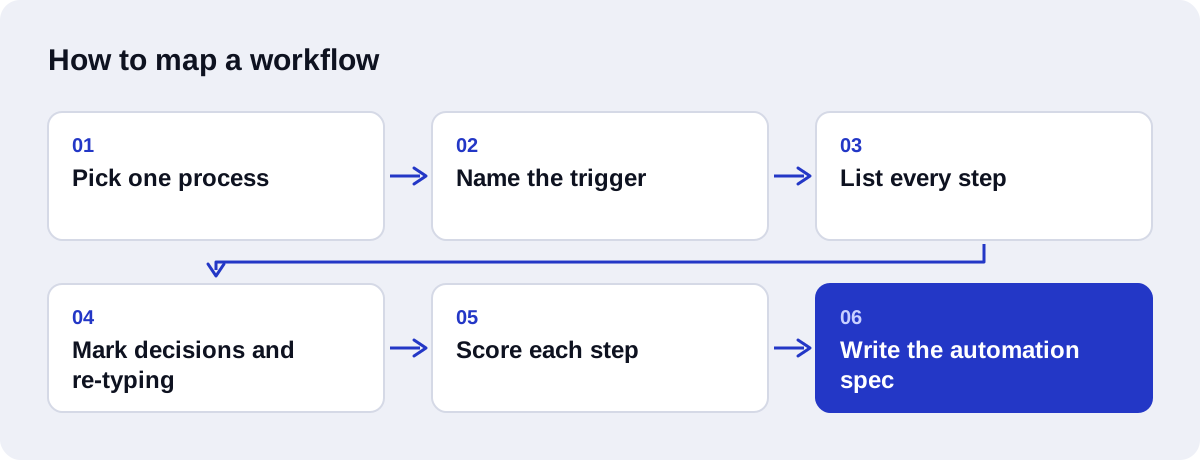
How to map a workflow step by step
You do not need special software. A spreadsheet with one row per step works well, and it converts directly into a build spec later.
1. Pick one process
Choose a single process with a clear start and a clear end. "Sales" is too broad. "From website form submission to first reply" is the right size.
2. Name the trigger
Write down the exact event that starts the work. "A form is submitted on the contact page" is a trigger. "When we get a lead" is not, because it hides how the lead arrives. If the same work can start in several ways (form, email, WhatsApp message, phone call), list each one.
3. List every step in order, with who and which tool
Sit with the person who does the work and watch them do it once, for real. Write a row for each action, including the small ones: opening a tab, copying a value, checking a spreadsheet. For each row record who does it and which tool they are in.
4. Mark the decisions
Whenever the person chooses between two paths, write it as a question with the possible answers: "Is this a real enquiry? Yes, no, unsure." Then ask how they decide. If they can state a rule, record the rule. If the answer is "I just know", record that too.
5. Mark where data is re-typed
Highlight every place where someone reads information in one tool and types or pastes it into another. These are the cheapest wins in almost any map.
6. Mark the waits
Note where work sits idle: waiting for someone to notice an email, waiting for an approval, waiting until Monday. Record roughly how long each wait usually lasts, using your own records or an honest estimate.
7. Mark the exceptions
Ask "what goes wrong, and what do you do then?" Duplicate submissions, missing phone numbers, messages in another language, requests for a service you do not offer. List each one with its current handling. Exceptions decide whether an automation is reliable.
8. Note volume and frequency
Count how many times the process runs in a typical week and how long one run takes. Use real counts from your inbox, CRM or form tool where you can. These figures show whether a build is worth it, and they affect tool choice, because automation platforms charge by usage.
What does a finished workflow map look like?
Here is an illustrative map for one common process at a small service business: a lead submits the website contact form, and the goal is a CRM record plus a first reply. It is an example, not a client.
Trigger: contact form submitted on the website. End state: contact and deal exist in the CRM, lead has received a relevant first reply, owner has a follow-up task.
| # | Step | Who | Tool | Input | Output | Automate or keep manual |
|---|---|---|---|---|---|---|
| 1 | Notice the new submission | Office admin | Email inbox | Form notification email | Admin is aware of the lead | Automate. The form triggers the workflow directly |
| 2 | Check whether it is spam or a real enquiry | Office admin | Email inbox | Message text | Real or spam | Automate with an AI classification step. Send "unsure" cases to a person |
| 3 | Check whether the contact already exists | Office admin | CRM search | Email address, phone | Existing record or none | Automate. A lookup by email is a plain rule |
| 4 | Create or update the contact | Office admin | CRM | Name, email, phone, company (re-typed from the email) | Contact record | Automate. Map form fields straight to CRM fields |
| 5 | Work out which service they want and how urgent it is | Office admin | Head, sometimes asks the owner | Free-text message | Service category, urgency | Automate with an AI extraction step that returns fixed categories, validated against the allowed list |
| 6 | Create a deal and assign an owner | Office admin | CRM | Service category, region | Deal with owner | Automate. Assignment rules are already known |
| 7 | Write the first reply | Office admin | Email, saved templates | Message, service category | Draft reply | Automate the draft with AI from approved templates. Keep a person approving it at first |
| 8 | Send the reply | Office admin | Approved draft | Sent email, logged in CRM | Automate after approval | |
| 9 | Set a follow-up reminder | Office admin | Calendar | Send date | Reminder | Automate as a CRM task |
| 10 | Handle a request for an unusual or large job | Owner | Phone | Flagged lead | Personal call | Keep manual. This is judgement and relationship work |
Notes recorded alongside the table:
- Re-typed data: step 4 copies four fields by hand from email to CRM.
- Waits: step 1 depends on someone checking the inbox, so leads that arrive in the evening or at the weekend wait until the next working day.
- Exceptions: missing phone number, duplicate submission, message not in English, enquiry for a service the business does not offer, form submitted by a supplier or job seeker.
- Volume: counted from the form tool's submission log for the last four weeks.
Most rows are mechanical. Two rows (2 and 5) need reading comprehension, which is where an AI step fits. One row (10) should stay with a person. That split is typical, and it is why AI-driven CRM automation tends to be a sensible first project.
How do you score steps for automation?
Once the steps are listed, score each one on four factors. Use a simple low, medium or high.
| Factor | What to ask | Points toward automating | Points toward keeping manual |
|---|---|---|---|
| Frequency | How often does this step run? | Many times a day or week | A few times a year |
| Rule-based or judgement | Can the person state how they decide? | A clear rule, or a judgement that fits a short list of categories | Depends on context, relationships or negotiation |
| Error cost | What happens if this step is done wrong? | A mistake is cheap and easy to undo | A mistake costs money, breaks a legal duty, or upsets a customer |
| Data availability | Is the input in a system the automation can read? | Structured fields, or text reachable through an API or export | On paper, in someone's head, or in a tool with no way in |
How to read the scores:
- Frequent, rule-based, low error cost, data available: automate fully. Steps 1, 3, 4, 6 and 9 in the example.
- Frequent, judgement that fits categories, data available: use an AI step with validation and a fallback to a person. Steps 2 and 5.
- High error cost: keep a human approval in the loop even if the rest is automated. Step 7 until trust is earned.
- Data not available: fix the data first. Moving a paper form online is often the real first project.
- Rare: leave it alone. The build and upkeep will outweigh the benefit.
An AI automation consulting session can give you a second opinion on the scoring. For what changes once a step is automated, see workflow automation vs manual processes.
How do you turn a workflow map into an automation spec?
The map describes today. The spec describes what will be built. For every automated step, make five things explicit.
- Trigger and payload. The exact event and the fields it carries, with their names as they appear in the source tool.
- Field mapping. Which source field goes to which destination field, including format changes such as phone number formats or date formats.
- Rules. Each decision written as a condition: "if the email already exists in the CRM, update the contact and add a note; otherwise create a contact."
- AI step contracts. For every AI step: what text it receives, what it must return, and the allowed values. For step 5 in the example, the contract might be "return one service category from this list and one urgency from high, normal, low; return unknown if not stated."
- Failure behaviour. What happens when a tool is down, a field is missing, or the AI returns something outside the allowed values. Usually this is a retry, then a message to a named person with the original data attached.
Add acceptance tests: a handful of real past examples, including the awkward ones, with the outcome you expect for each. These become the test set for the build.
The spec also informs the choice of platform. Tools charge differently for usage, so volume and step count matter. n8n's cloud plans are based on workflow executions, where one run of a whole workflow counts once however many steps it has. Zapier's plans are based on tasks, where each successfully completed action step uses a task, and filters and formatters do not. We compare the two in n8n vs Zapier for AI automation, and the n8n documentation shows how triggers and nodes correspond to rows in your map.
What are the common workflow mapping mistakes?
Mapping the official process instead of the real one. The written procedure and the daily practice differ. Map what people do, then decide what they should do.
Stopping at the happy path. A map with no exceptions produces an automation that works in the demo and fails in the first week.
Going too broad. Mapping the whole business at once produces a large diagram and no build. One process, one trigger, one outcome.
Vague verbs. "Process the lead" hides the actual actions. If a row could not be handed to a new hire as an instruction, split it.
Guessing the volume. Count from the system where you can, and label the figure as an estimate where you cannot.
Automating a step that should be deleted. Ask of every row whether it still needs to happen at all.
What should you hand to whoever builds it?
Whether the builder is someone on your team or an outside studio, give them this pack:
- The step table, with who, tool, input, output and the automate-or-manual decision for each row.
- The trigger definition and a sample of the real payload (a real form submission with personal details removed).
- The list of exceptions and how each should be handled.
- The decision rules, in plain sentences.
- For each AI step, the allowed outputs and a few real examples with the correct answer.
- Volume and frequency figures, and where they came from.
- The list of tools involved, the plan or tier you are on, and who holds admin access.
- A named person who approves outputs during testing.
- What "done" means: the end state and the test examples that must pass.
How Axenor AI uses your map
Axenor AI is a founder-led studio. Every system is built by founder Haseeb Sagheer, a software engineer, working remotely with clients. A project starts from a map like the one above. If you do not have one, we build it together from a walkthrough of the real work.
From there the map becomes a spec, and the spec becomes a build: usually an n8n workflow or custom Python where a workflow tool is not enough, with AI steps, validation and a human handoff where the scoring calls for one. Focused builds usually take 3 to 10 days. Details of what is included are on the AI workflow automation page, and you can read client reviews and our work before deciding.
If you have one process in mind and want help mapping and scoring it, book a free automation audit.