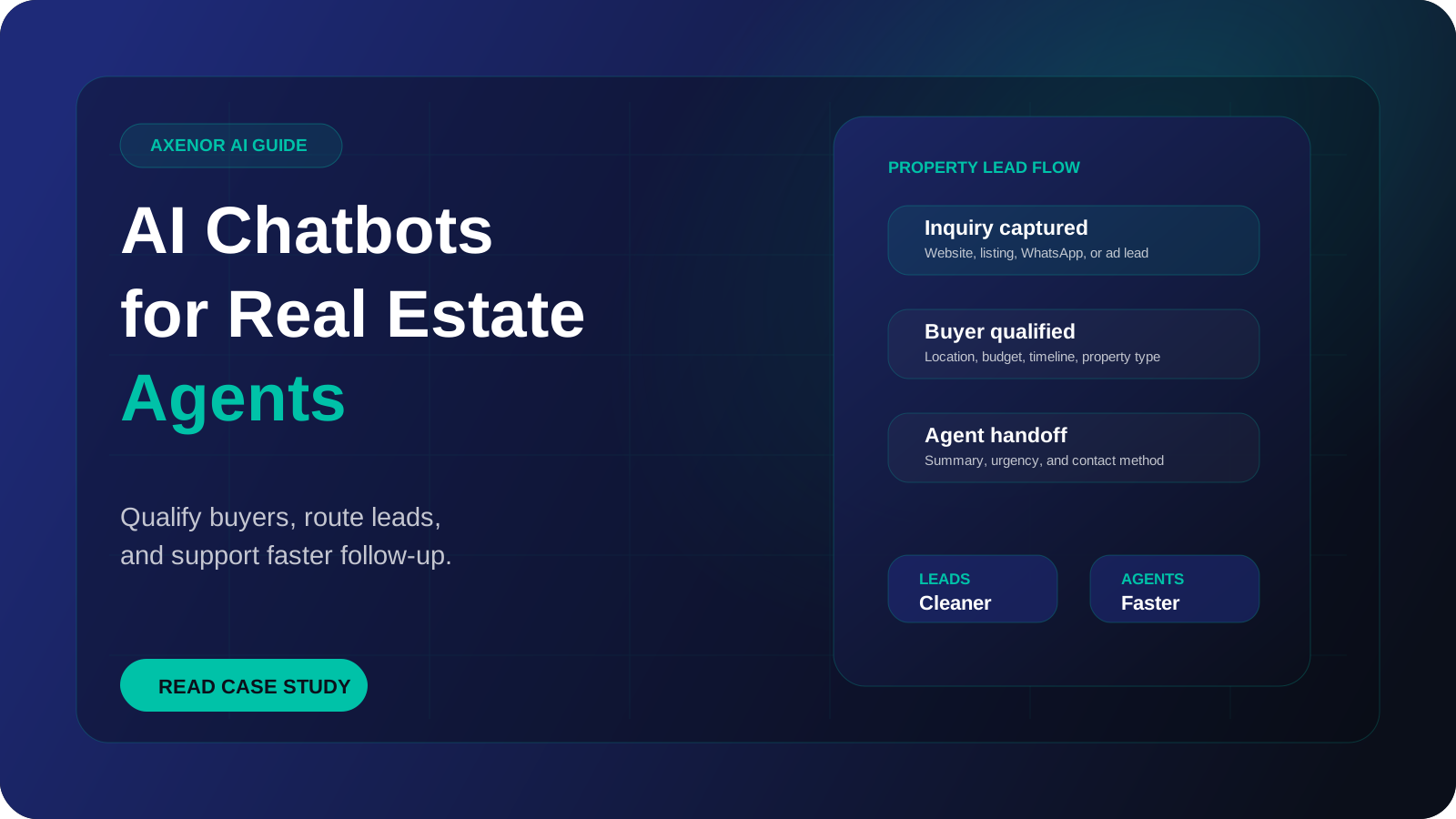
A real estate chatbot is an AI assistant that replies to property enquiries on your website, WhatsApp or social inbox the moment they arrive. It answers questions about listings, asks the few questions that tell you whether an enquiry is serious, and books a viewing or passes the conversation to an agent with the details already collected. It does not replace the agent. It covers the gap between a buyer sending a message and a person being free to answer it.
What does a real estate chatbot actually do?
Most property enquiries follow the same pattern. Someone sees a listing on a portal or on your site, sends a short message such as "Is this still available?", and then sends the same message to several other agents. Whoever gives a useful reply first usually gets the conversation.
The enquiry often arrives when nobody is at a desk: in the evening, on a weekend, or while the agent is at a viewing. Portal leads also tend to arrive with very little detail, sometimes just a name, a number and the listing reference.
A chatbot handles that first stretch of the conversation. In practice it does four jobs:
- Answers listing questions from your own data: price, bedrooms, size, floor, parking, service charges, availability date, pet policy, what is included.
- Qualifies the enquiry by asking about budget, area, timeline and financing in a natural order.
- Books the next step, whether that is a viewing slot, a callback or a valuation visit.
- Hands over to a person with a short summary, so the agent does not start from zero.
What should the bot handle, and what should go to an agent?
| Topic | Chatbot handles it | Agent handles it |
|---|---|---|
| Availability and basic listing facts | Yes, from the current listing data | Only if the data is missing or disputed |
| Budget, area, bedrooms, move-in date | Asks and records the answers | Reviews before the call |
| Viewing requests | Offers slots and confirms the booking | Attends, and handles reschedules that need judgement |
| Similar properties | Suggests listings that match the stated criteria | Suggests off-market or upcoming stock |
| Price negotiation and offers | Records the offer and passes it on | Always |
| Mortgage, legal and tax questions | Explains the general process in plain terms and refers on | Always, or a broker or solicitor |
| Complaints, disputes, deposit issues | Acknowledges and escalates straight away | Always |
A simple rule works well: the bot states facts that are written down somewhere and collects information. It does not give opinions, promises or advice.
Which questions should the chatbot ask a buyer or renter?
Qualification is where an AI chatbot for real estate saves the most agent time, and also where it most easily annoys people. Nobody wants a questionnaire before they are allowed to ask whether a flat has parking. The bot should answer the question first, then ask one thing at a time.
| Question | Why it matters |
|---|---|
| Are you looking to buy or rent? | Decides which agent, which listings and which follow-up questions apply |
| Which areas are you considering? | Shows whether this listing is a real fit or a starting point for alternatives |
| What is your budget range? | Stops agents booking viewings for properties the person cannot proceed on |
| How many bedrooms, and any must-haves? | Lets the bot suggest two or three matching listings instead of one |
| When do you want to move? | Separates someone ready now from someone browsing for next year |
| Do you have a mortgage pre-approval, or are you a cash buyer? | Tells the agent how quickly the buyer can act. The bot records the answer and does not advise on financing |
| Do you have a property to sell first? | Flags a chain, and a possible valuation lead |
| What is the best way and time to reach you? | Makes the callback happen at a time the person will pick up |
For renters, swap the financing questions for the move-in date, the length of tenancy, the number of occupants and whether there are pets.
If someone has already given an answer in their first message, the bot should skip that question.
A worked example: from portal enquiry to booked viewing
Here is one conversation flow, described step by step.
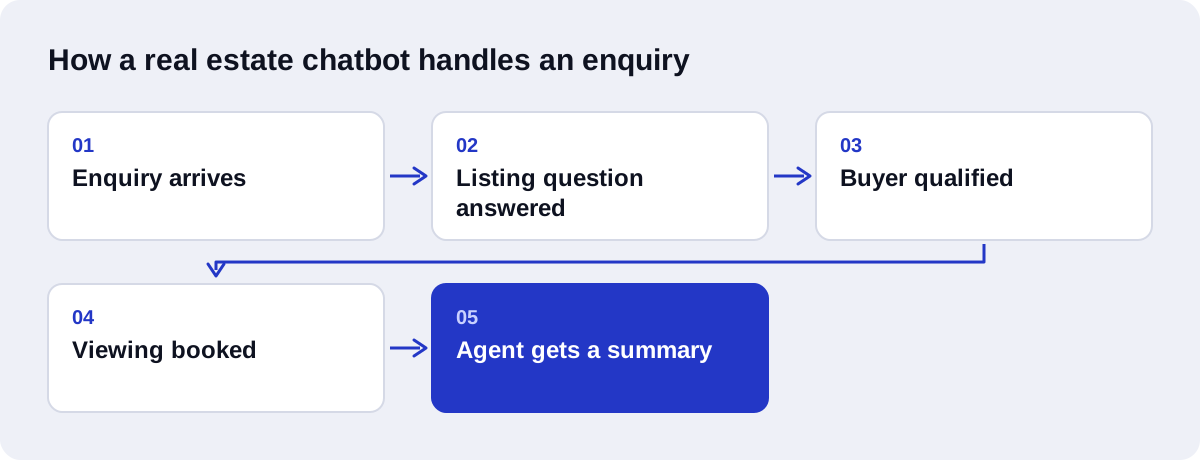
- A buyer sees a three-bedroom apartment on a listing portal late in the evening and taps the WhatsApp button. Their message is "Hi, is this available?" along with the listing reference.
- The chatbot matches the reference to the listing record, confirms the apartment is still available, and gives the asking price, size and floor. It asks whether the buyer would like the floor plan.
- The buyer asks about parking and service charges. Both are in the listing data, so the bot answers directly.
- The buyer asks whether the seller would accept a lower price. The bot says that offers are handled by the agent and that it can pass one on or arrange a call. It does not guess.
- The bot asks two short questions: when the buyer is planning to move, and whether they are buying with a mortgage or cash. The buyer says they have a mortgage pre-approval and want to move within a few months.
- The bot offers three viewing slots taken from the agent's calendar. The buyer picks Saturday morning. The bot confirms the time and address and asks for a name.
- The agent receives a notification with a summary: the listing, the buyer's budget and financing status, the timeline, the question about price, and the booked slot. The lead is created in the CRM with the conversation attached.
All of it happened at night, without the agent, before the buyer had heard back from anyone else.
Website chat, WhatsApp or portal leads: where should it live?
The right channel is the one your enquiries already use.
| Channel | Good for | Watch out for |
|---|---|---|
| Website chat widget | Visitors browsing your own listings, valuation requests from sellers | Only reaches people who are already on your site |
| Portal enquiries and markets where buyers prefer messaging to email | Needs the Business Platform, and messages you start yourself are charged | |
| Portal lead emails | Leads that arrive as a form notification | The bot cannot reply inside the portal. It follows up by WhatsApp or email using the contact details in the lead |
A few facts about WhatsApp are worth knowing before you plan around it. Automation runs on the WhatsApp Business Platform through the Cloud API, not on the free WhatsApp Business app on your phone. When a customer messages you, a 24-hour customer service window opens, and free-form replies inside that window are free. If you want to message someone outside that window, for example a viewing reminder two days later, you need a template that Meta has approved and the person's opt-in. Since 1 July 2025 Meta charges per message for template messages, as set out on its pricing page.
For agencies handling Dubai and UAE property enquiries, WhatsApp is usually the main channel, and buyers write in both Arabic and English, sometimes in the same conversation. A WhatsApp AI chatbot for that market should be built and tested as an Arabic AI chatbot from the start, not translated afterwards.
Is a chatbot enough, or do you need an AI agent?
The two terms get mixed up. A chatbot answers questions and collects information. An AI agent also takes actions in other systems: it checks a calendar, creates a CRM record, sends a confirmation, and decides which step comes next.
Using AI for real estate agents does not have to start with the complex version. A small agency with a short list of properties often does well with a chatbot that answers from its listings and sends a qualified lead by email. A larger team with a CRM will get more from a real estate AI assistant that books viewings and routes leads on its own. The longer comparison is in our guide to the difference between an AI agent and a chatbot.
Either way, the answers have to come from your data. The usual method is retrieval-augmented generation, an approach first described in a 2020 research paper. The system looks up the relevant listing or policy first and then writes its reply from that text, which is what keeps it from inventing a price or a parking space.
What to prepare before you build
The quality of the bot depends almost entirely on what you give it. Before any build starts, gather the following.
Listing data in one place. A feed, a spreadsheet or a CRM export with a reference for each property, its status and the facts buyers ask about. If availability is updated in three different places, fix that first. A bot that offers a viewing on a sold property is worse than no bot.
Your real frequently asked questions. Go through recent WhatsApp chats and emails and note what people actually ask: fees, deposits, documents needed to rent, viewing rules, areas you cover. Our guide on how to train your AI chatbot on your FAQs covers how to turn these into usable content.
Qualification rules. Decide what makes an enquiry worth an immediate call, what goes into a follow-up list, and what gets a polite answer and nothing more.
Routing rules. Which agent covers which area, price band or property type, and who covers when they are away.
Calendar and CRM access. If the bot is going to book viewings, it needs to see real availability. If leads should land in your CRM with the right fields filled in, that connection is part of the build. This is the part covered by AI-driven CRM automation.
Handoff wording and hours. What the bot says when it passes someone to a person, and what it promises about when they will hear back. Only promise what your team will keep to.
Compliance wording. Any disclaimers, licensing details or consent text your market requires.
Mistakes to avoid
Asking for contact details before giving any help. If the first reply is "Please share your name, email and phone number", most people will go back to the portal and message someone else.
Letting the bot answer from stale data. Sold and let properties need to drop out of the bot's knowledge on the same day they drop off your site.
Letting it advise. The bot should not say what a property is worth, whether a price is fair, what mortgage someone will get, or what a contract clause means. It can explain a process in general terms and refer the question on.
Hiding the human. Always offer a clear way to reach an agent, and say plainly that the bot is an assistant.
Sending outbound WhatsApp messages without opt-in. Apart from the cost of templates, messaging people who did not agree to it gets numbers reported and blocked.
Launching on every channel at once. Start with the channel that carries most of your enquiries and fix what the transcripts show before adding the next.
How do you measure whether it is working?
Track the things that connect to viewings and deals, and compare them with how things looked before the bot went live.
- Time to first reply, especially outside office hours.
- Share of enquiries that receive a reply at all. Before a bot, some simply get missed.
- Qualification completion. How many conversations end with budget, area and timeline recorded.
- Viewings booked through the bot, and how many of those people show up.
- Handoff quality. Ask agents whether the summaries are accurate and whether they still have to re-ask basic questions.
- Wrong or unanswered questions. Review transcripts regularly and log every case where the bot was wrong or had no answer. This list is your content backlog.
- Drop-off point. Where people stop replying. If it is always at the budget question, move or reword it.
How Axenor AI builds real estate chatbots
Axenor AI is a founder-led studio. Every system is built by the founder, Haseeb Sagheer, a software engineer, working remotely with clients. The stack is Python, FastAPI, the OpenAI API, LangChain, Pinecone and n8n, and the same retrieval approach is used in Ask Haseeb AI, an open-source RAG assistant he built.
A build usually starts with your listing data, your common questions and the handoff rules described above. From there the work is setting up an AI chatbot for customer support and lead capture on the channel you choose, connecting it to your calendar and CRM where needed, and testing it against real enquiries before it goes live.
Chatbot setups usually cost $300 to $800, and focused builds usually take 3 to 10 days. AI agents and RAG assistants with deeper integrations are scoped with a fixed price after a consultation. There is more detail in our guide to chatbot pricing.
If you want to know whether a chatbot fits the way your agency handles enquiries, book a free automation audit and bring a few recent conversations with you.