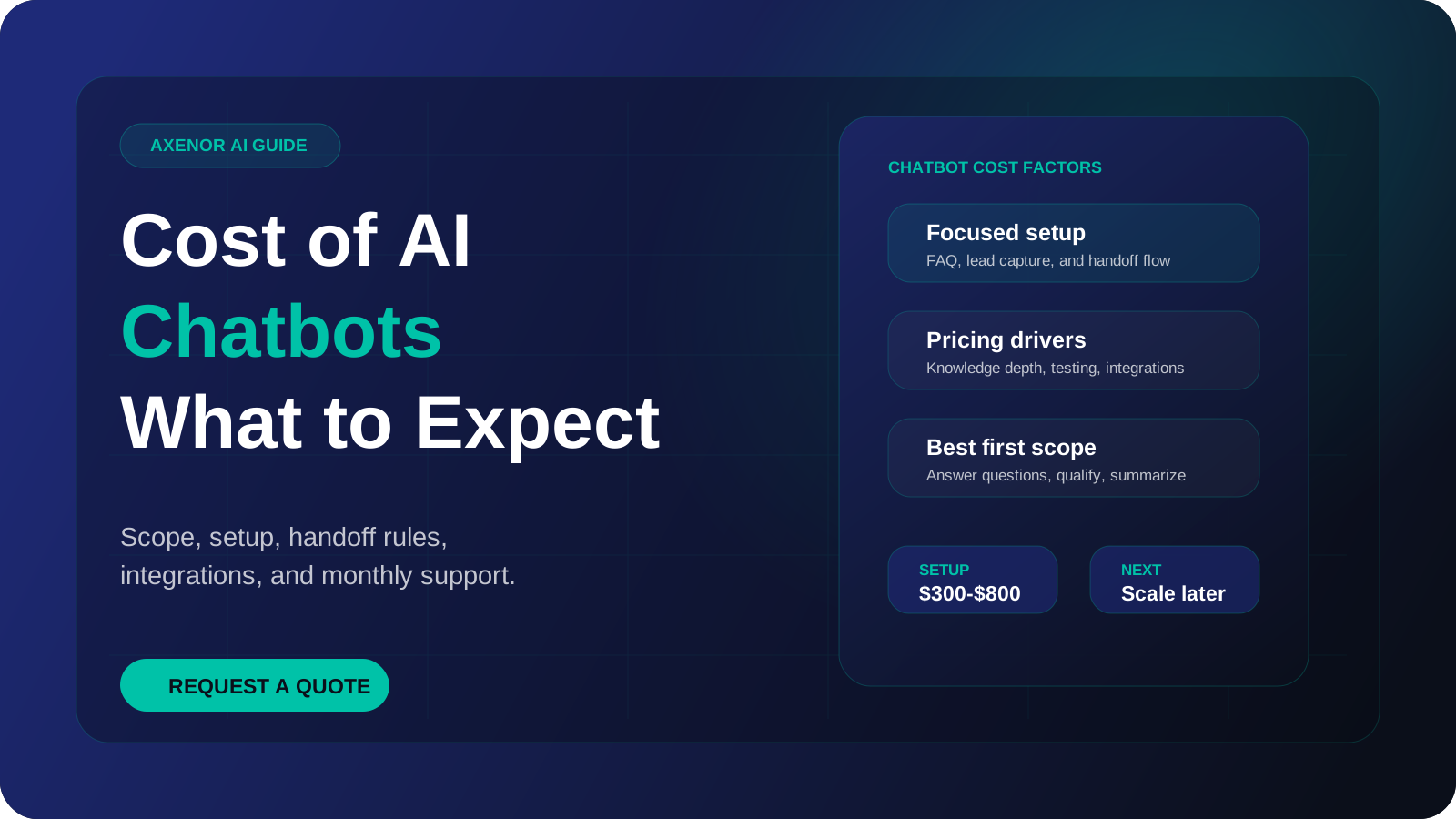
Chatbot pricing has two parts: a one-time setup cost to build and test the bot, and a monthly running cost to keep it answering. At Axenor AI, chatbot setup usually costs $300 to $800, and the monthly cost depends mostly on how many conversations the bot handles and which channels it runs on. The rest of this guide explains what moves those numbers up or down, so you can read any quote and know what you are paying for.
How much does a chatbot cost?
There is no single answer to "how much does a chatbot cost" because the word "chatbot" covers very different things. A widget that answers ten fixed questions and a bot that reads your product catalogue, checks order status and books appointments are both sold as chatbots. They are not the same amount of work.
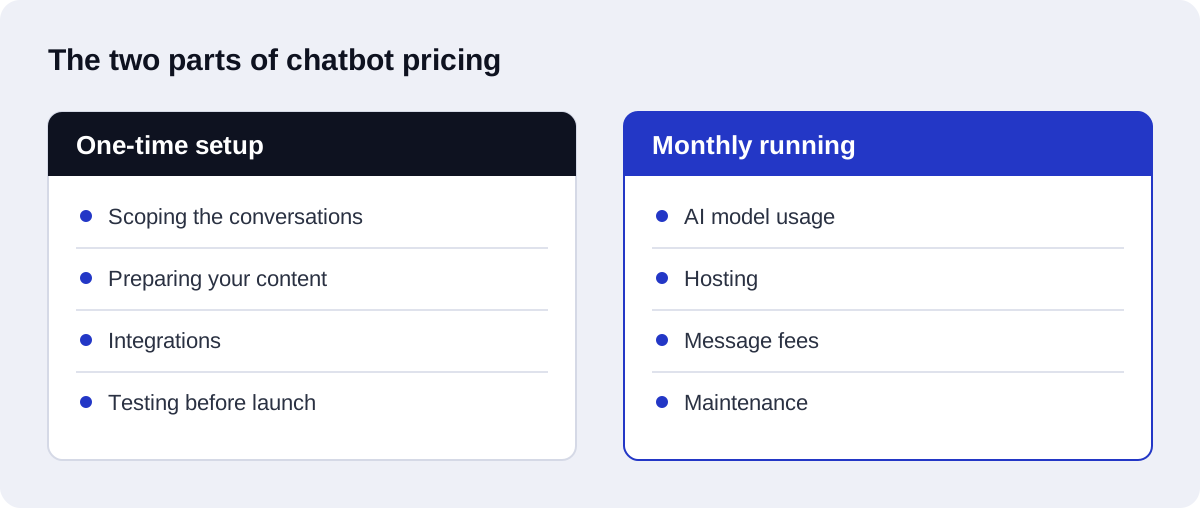
What you can rely on is the structure of the bill. Every chatbot, from every vendor, has these two cost types.
| Cost type | When you pay | What it covers |
|---|---|---|
| One-time setup | Before launch | Planning the conversations, preparing your content, building the bot, connecting it to your tools, testing, launch |
| Monthly running | Every month after launch | Language model usage, hosting, messaging channel fees, any database the bot needs, maintenance and updates |
A low setup price with a high monthly fee can cost more over a year than the reverse. Always add both together over at least twelve months before comparing two quotes.
Which chatbot pricing models do vendors use?
Most offers you will see fall into one of three pricing models. Knowing which one you are looking at tells you how the bill will behave as your business grows.
Subscription platform
You pay a recurring fee for access to a chatbot builder, and you or a freelancer configure the bot inside it. Plans are usually tiered by number of conversations, seats, or features. Setup effort is low because the platform gives you the widget, the inbox and the hosting. The trade-off is that you work within the platform's limits, and the features you need later may sit on a higher tier.
Per-conversation or per-resolution pricing
Some vendors charge for each conversation the bot handles, or only for conversations the bot resolves without a human. This ties cost to usage, which is fair when volume is low and predictable. Ask exactly how a "resolution" is defined, because that definition decides your bill.
Custom build with usage-based model fees
A developer or studio builds the bot for a fixed setup price. After that you pay the underlying providers directly for what the bot uses: the language model, the hosting, and the messaging channel. You own the system and nobody adds a margin per conversation. The trade-off is that someone has to maintain it. This is the model Axenor AI works with.
| Pricing model | Setup effort | How monthly cost behaves | Best fit |
|---|---|---|---|
| Subscription platform | Low | Fixed per tier, jumps when you cross a tier | Simple FAQ bots, teams that want a ready-made inbox |
| Per conversation or per resolution | Low to medium | Rises directly with volume | Low or steady volume, clear definition of a resolved chat |
| Custom build with usage fees | Higher | Follows actual usage, plus maintenance | Bots that need your own data, tools or workflows |
A business with a short FAQ and no integrations does not need a custom build. A business that needs the bot to read its documents and write to its CRM usually outgrows a basic subscription tier.
What drives chatbot development cost?
Setup is the larger part of AI chatbot cost for most small businesses, and it is a function of work. These are the things that add work, roughly in the order they tend to matter.
The number of questions and intents
A bot that handles opening hours, pricing and returns is a small job. A bot that handles dozens of topics, each with exceptions, is a larger one. Every topic needs content, wording, and test conversations.
Channels
A website widget is the simplest channel. WhatsApp, Instagram and Messenger each have their own setup, approval steps and message rules. Each extra channel adds build and testing time. Our WhatsApp AI chatbot service covers what that setup involves.
Integrations
The moment a bot has to do something outside the chat, cost goes up. Saving a lead to a CRM, creating a support ticket, checking a calendar, or looking up an order all require a connection to another system. This is where chatbot work overlaps with AI-driven CRM automation.
Retrieval from your documents
A bot that answers from your own policies, manuals or product pages needs a retrieval layer, often called RAG. Your content is split into passages, indexed, and searched each time a customer asks something. That takes more work than a scripted bot, and it is also what stops the bot from making things up about your business. If the term is new to you, read what a RAG chatbot is before comparing quotes.
Languages
Supporting a second language means more than switching on translation. Content, tone and test conversations all have to be checked in that language. Right-to-left languages such as Arabic also affect the layout of the chat window, which is why we treat an Arabic AI chatbot as its own piece of work.
Testing
Testing is the part cheap quotes shrink first. A proper test round means running real customer questions through the bot, including badly worded ones, off-topic ones, and ones the bot should refuse to answer.
Human handoff
A bot needs a way to pass a conversation to a person. A basic handoff sends an email with the transcript. A fuller one routes the chat to the right team, includes a summary, and works outside office hours.
What are the monthly running costs?
After launch, these are the items that appear on the monthly bill.
Language model usage. Providers such as OpenAI charge by tokens processed, which roughly means the amount of text the model reads and writes. Rates differ by model and change over time, so check the provider's own API pricing page instead of trusting a figure in a blog post. Two things raise this cost: more conversations, and longer conversations with more retrieved content in each answer.
Hosting. The code that runs the bot has to live on a server. For a small business bot this is usually a minor line.
Vector database, if used. A bot that retrieves answers from your documents stores them in a vector database. Small knowledge bases often fit inside a free or entry tier. Large ones do not.
WhatsApp message fees. Automation on WhatsApp requires the WhatsApp Business Platform, also called the Cloud API. The free WhatsApp Business app does not support it. Since 1 July 2025 Meta charges per message for template messages in the marketing, utility and authentication categories, with rates that vary by country. When a customer messages you first, a 24-hour customer service window opens, and free-form replies inside that window are free. Meta publishes the current rules on its WhatsApp pricing page. So a support bot that only replies to incoming messages pays less in channel fees than one that sends outbound promotions.
Maintenance. Your prices change, your policies change, and model providers retire old models. Someone has to update the bot's content, review failed conversations, and fix integrations when another tool changes its API. Decide in advance whether that is you, a staff member, or a retainer.
Axenor AI chatbot pricing
These are our own prices. Axenor AI is a founder-led studio, and every system is built by the founder, Haseeb Sagheer, a software engineer.
| Offer | Price | What it is |
|---|---|---|
| AI chatbot setup | Usually $300 to $800, one-time | A chatbot for website or WhatsApp, built on your content, with lead capture and human handoff |
| Starter automation package | $299, one-time | One packaged automation with a defined scope |
| Growth package | $699, one-time | Two to three connected systems, for example a chatbot that feeds a CRM and a follow-up workflow |
| Retainer | $350 per month | Ongoing updates, monitoring and changes after launch |
| Workflow automation setup | $500 to $2,000, one-time | Larger multi-step workflows across several tools |
| Custom AI agents and RAG assistants | Fixed price after a consultation | Scoped individually, because the work varies too much to list a range |
Where a chatbot lands in the $300 to $800 range depends on the drivers above: how many topics, which channel, and whether it connects to other tools. Focused builds usually take 3 to 10 days.
Setup prices do not include third-party usage fees. Model usage, hosting and WhatsApp message fees are billed by those providers to your own accounts, so you can see exactly what the bot consumes.
The retainer is optional.
If the project needs the bot to take actions across several systems, it is closer to an agent than a chatbot, and it is priced as custom work. We explain that pricing in our guide to AI agent development cost, and the service itself is described under RAG development.
What do cheap chatbot quotes leave out?
A low quote is not automatically a bad one. But when two quotes for the same brief differ widely, the cheaper one has usually removed some of these.
- Content preparation. The bot is built, and you are told to "add your FAQs". Writing and structuring that content is often half the job.
- Testing with real questions. The bot is checked against a short happy-path script and nothing else.
- Handoff to a human. The bot has no exit, so stuck customers loop or leave.
- Integrations. Leads are collected in the chat tool but never reach your CRM or inbox.
- Guardrails. Nothing stops the bot from answering questions it has no content for.
- Running costs. The quote covers the build and stays silent on the monthly bill.
- Handover and ownership. You do not get the accounts, the code or the documentation, so changing vendors means starting again.
- Post-launch fixes. Real traffic exposes gaps. Check whether fixing them is included.
What should you ask before accepting a quote?
Send these questions to every vendor you are considering. The answers make quotes comparable.
- What exactly is included in the setup price, and what is listed as out of scope?
- Which pricing model is this: subscription, per conversation, or a custom build with usage fees?
- What will I pay each month, and to whom?
- Whose accounts will the model, hosting and WhatsApp usage be billed to?
- How does the bot get its answers, and what does it do when it has no answer?
- How is a conversation handed to a person, and what does that person receive?
- Which channels and languages are covered?
- How was the bot tested, and can I see the test conversations?
- Who updates the content when my prices or policies change, and what does that cost?
- Who owns the code, the content and the accounts if we stop working together?
Is an AI chatbot worth the cost?
Work it out with your own numbers instead of someone else's averages. The method is simple.
Step 1. Count how many repetitive conversations your team handles in a normal week. Use your inbox, chat history or call log, not memory.
Step 2. Estimate the average time each one takes, including the time lost switching away from other work.
Step 3. Multiply the two to get weekly hours, then multiply by the hourly cost of the person doing it. That is what the repetitive questions cost you now.
Step 4. Decide what share of those conversations a bot could realistically handle. Be conservative. Complaints, negotiations and unusual cases stay with people.
Step 5. Compare the value of the hours saved over twelve months with the setup cost plus twelve months of running costs.
Then add the part that is harder to measure: enquiries that arrive outside working hours and get no reply until the next day. Count those separately.
If the result is close to break-even, a chatbot is probably not your best first investment, and a simpler automation may pay back faster. If the gap is wide, the remaining question is scope. Our comparison of AI chatbots and human customer service goes through which conversations suit each.
Getting a fixed quote
AI chatbot pricing becomes predictable once the scope is written down. Give a builder your list of common questions, your channel, the tools the bot must connect to, and your rough monthly conversation volume, and a fixed setup price is a reasonable thing to expect in return.
For the wider picture of what a business chatbot should do before you set a budget, read our guide to AI chatbots for lead generation and customer support.
If you want a quote from us, book a free automation audit. You will get a written scope, a fixed setup price, and a plain list of the monthly costs you should expect from third-party providers.