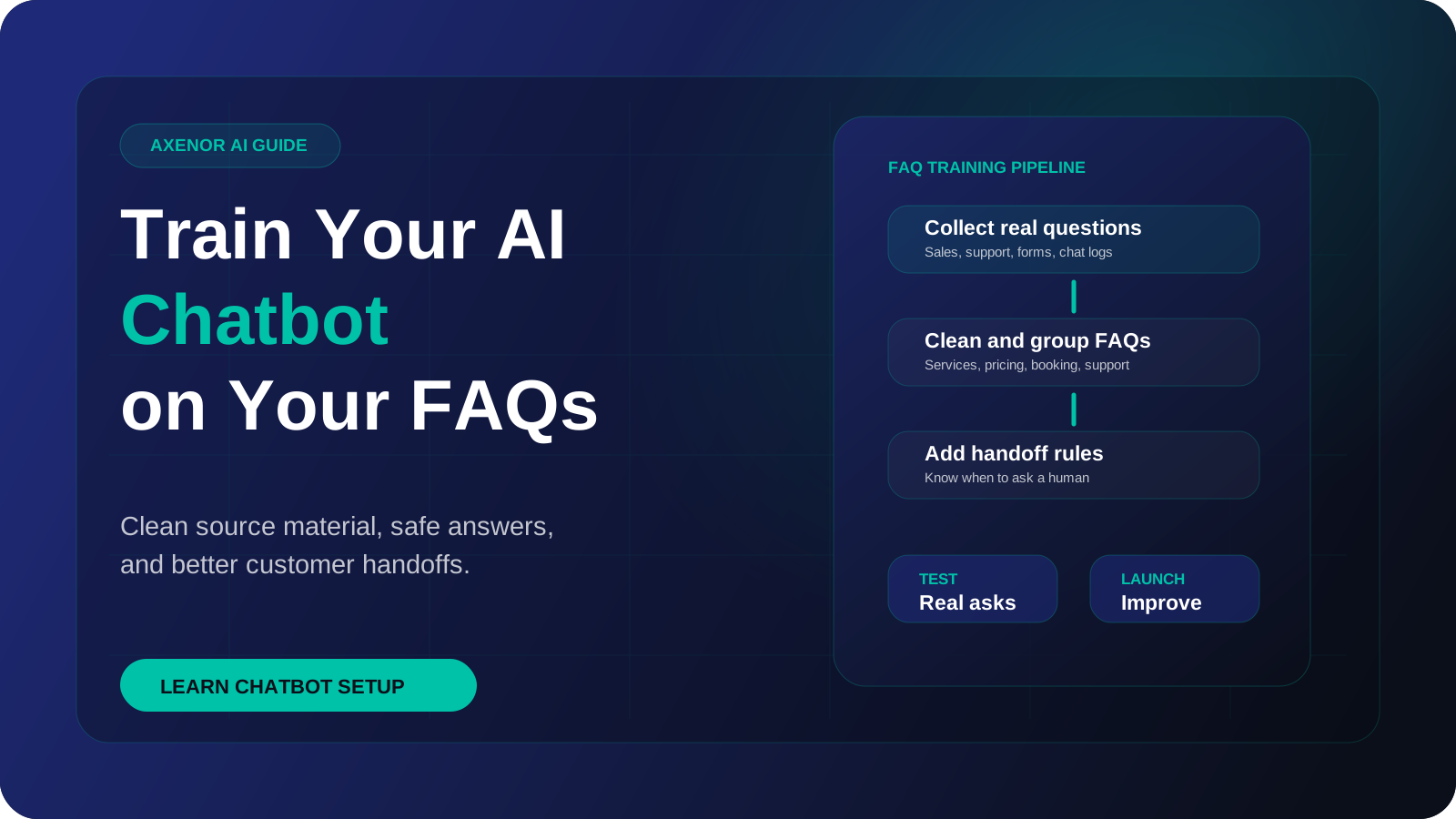
If you want to know how to train a chatbot on your own FAQs, the short answer is that you do not retrain an AI model. You clean up your answers, load them into a knowledge base, and the bot looks up the right passage before it replies. Most of the work is editing content and testing, not machine learning.
What does chatbot training mean for a business today?
Modern chatbots sit on top of a large language model that already reads and writes well. It does not know your refund policy, your opening hours or your delivery areas. So the job is no longer teaching it language. The job is giving it your facts at the moment it needs them.
The standard way to do that is retrieval-augmented generation, usually shortened to RAG. The term comes from a 2020 paper by Patrick Lewis and colleagues. In practice it works like this:
- Your content is split into short passages and stored in a searchable knowledge base.
- When a customer asks something, the system finds the passages closest in meaning to the question.
- Those passages are handed to the model along with the question and your instructions.
- The model writes a reply based on what it was given.
If you want the longer explanation, see our guide to what a RAG chatbot is. The point for this article is simple: when people ask how to train an AI chatbot, what they nearly always need is good content and good retrieval.
Retrieval, prompt instructions or fine-tuning: which one do you need?
There are three ways to shape what a chatbot says. They solve different problems, and most FAQ bots only need the first two.
| Method | What it is | Good for | Weak at | How you update it |
|---|---|---|---|---|
| Retrieval (RAG) | The bot looks up passages from your content before answering | Facts that change: policies, prices, hours, product details | Tone and behaviour rules | Edit the content and reload it |
| Prompt instructions | Written rules the model reads on every conversation | Tone, scope, boundaries, when to hand over to a person | Holding a large body of facts | Edit the instructions |
| Fine-tuning | Further training of a model on example inputs and outputs | A consistent format or style across many replies | Facts that change, since each change means new training | Prepare new examples and train again |
Fine-tuning has real uses, but keeping FAQ answers current is not one of them. If your return window changes, you want to edit one paragraph, not run a training job. We compare the two in more depth in RAG vs fine-tuning.
So to train a chatbot on your own data, plan for retrieval to carry the facts and instructions to carry the behaviour.
How to train a chatbot on your FAQs, step by step
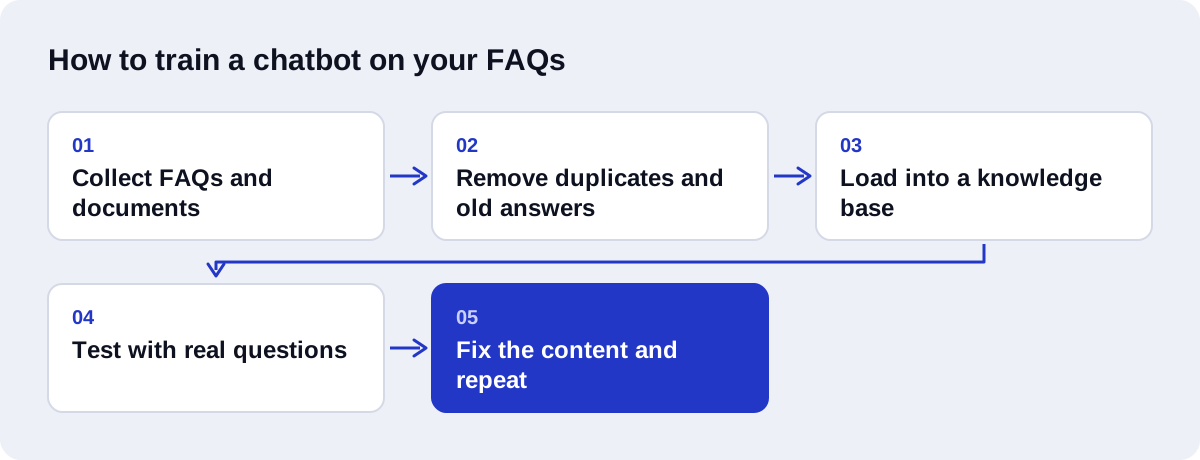
1. Collect your sources
Gather everything that currently answers customer questions: the FAQ page, help articles, policy documents, product sheets, saved email replies, and the notes your support staff keep for themselves. The unofficial notes are often the most useful, because they reflect what people really ask.
2. Remove duplicates and outdated answers
If two documents give different answers to the same question, the bot may retrieve either one. Pick the correct version and delete the rest. Remove anything about discontinued products, old prices and expired offers. This step is dull and it matters more than any technical setting.
3. Rewrite answers so each stands alone
A passage will be pulled out of its page and shown to the model with no surrounding context. An answer that begins "As mentioned above" or "Yes, it does" is useless on its own. Name the subject in every answer.
4. Split long documents
A long policy document covers many topics. Break it into sections with clear headings, one topic each, so the system can find the part about cancellations without dragging in the part about warranties.
5. Add the questions customers really ask
Your FAQ page lists the questions you expected. Your inbox and chat history hold the questions people send. Go through recent conversations, note the ones with no written answer, and write those answers.
6. Load the content into a knowledge base
The cleaned content is split into chunks, converted into embeddings, which are numeric representations of meaning, and stored in a vector database. This is the technical step, and with clean content it is quick.
7. Write the instructions and boundaries
Tell the bot who it speaks for, what tone to use, which topics it covers, and what to do when the retrieved content does not contain an answer. State plainly that it must not guess.
8. Test with real questions
Use questions from real customers, in their own wording, including typos and vague phrasing. Do not test only with the questions you wrote the answers for.
9. Fix the content
When an answer is wrong, the cause is usually in the content: a missing passage, two conflicting passages, or an answer worded so differently from the question that it was not found. Fix the source text first. Change settings second.
10. Repeat
Run the same test questions again after each change. A fix for one question can break another, and you only see that if you retest the whole list.
How do you write an answer that retrieves well?
Retrieval works on meaning, but it still depends on the words in the passage. Three habits make the biggest difference.
One topic per passage. A paragraph that covers delivery times, delivery fees and returns will be a weak match for all three questions. Three short passages will each match strongly.
Use the question's own words. If customers say "refund" and your policy says "reimbursement of the purchase amount", add the customer's word. Including the question itself as a heading above the answer helps.
Give concrete details. "Delivery is fast" gives the model nothing to say. Days, conditions, exceptions and the next step give it a full answer.
Here is a short example. The details are placeholders, not a real policy.
Before
Yes, we do. It usually takes a few days, and there may be a charge depending on the above. Contact us for more.
After
Do you deliver outside the city? Yes. We deliver to addresses outside the city through a courier. Delivery outside the city takes longer than delivery inside it, and the delivery fee is shown at checkout before you pay. To check whether we deliver to your area, enter your postcode on the delivery page or message our support team.
The first version depends on a question the passage does not contain and a table the reader cannot see. The second names the subject, repeats the customer's wording, and says what to do next. It will be found, and it can be quoted on its own.
What is chunking, and why does it matter?
Chunking is how a document is cut into passages before it is stored. The system retrieves chunks, not whole documents, so the size of a chunk decides how much context the model sees.
- Chunks that are too large mix several topics, which weakens the match and pads the reply with unrelated text.
- Chunks that are too small cut an answer in half, so the model gets the rule without its exception.
Chunk size is measured in tokens, which are the word pieces a language model reads. Our open-source assistant, Ask Haseeb AI, splits documents into chunks of about 350 tokens with overlap. Overlap means the end of one chunk is repeated at the start of the next, so a sentence that falls on a boundary is not lost.
That figure is a starting point for our content, not a universal rule. Short FAQ entries often work best as one chunk per question. If you write one topic per passage with a clear heading, most reasonable chunking setups will do well.
What should the bot do with questions it cannot answer?
Every chatbot will meet questions outside its content. What it does next decides whether customers trust it.
Decide on these behaviours and write them into the instructions:
- Say so. A clear "I do not have that information" is better than a confident wrong answer.
- Offer a next step. Give a contact route, collect the customer's details, or pass the conversation to a person.
- Stay in scope. If someone asks about a topic you do not cover, the bot should decline politely and say what it can help with.
- Log the question. Every unanswered question is a note about missing content.
The log of unanswered questions tells you which passages to write next.
If the bot also needs to take action, such as booking an appointment or checking an order, that is a step beyond FAQ answering. Our article on AI agents vs chatbots explains where that line sits.
How do you keep a trained chatbot current?
A chatbot trained on your FAQs is only as current as the content behind it. A few habits keep it accurate:
- Name an owner. One person is responsible for the knowledge base. Without an owner, nobody updates it.
- Update the source when the business changes. New price, new policy or new product means an edit to the content on the same day.
- Delete, do not only add. Leaving the old answer next to the new one creates the conflict described in step 2.
- Review the unanswered log on a schedule. Weekly at first, then less often as gaps close.
- Rerun the test list after every content change.
How do you test a chatbot before launch?
Build a list of real questions and keep it. Run it before launch and after every update.
| What to test | How to test it | What a pass looks like |
|---|---|---|
| Common questions | Ask your most frequent customer questions in the customers' own wording | Correct, complete answers that match your content |
| Rephrased questions | Ask the same question in different ways, with typos and slang | The same correct answer each time |
| Questions with no answer | Ask about things your content does not cover | The bot says it does not know and offers a next step |
| Off-topic requests | Ask about unrelated subjects | A polite refusal and a return to scope |
| Conflicting details | Ask about anything that changed recently | Only the current answer appears |
| Follow-up questions | Ask a second question that depends on the first | The bot keeps the context |
| Handover | Ask to speak to a person | The handover route works |
| Other languages | Ask in each language your customers use | A correct answer in the same language |
If you serve customers in more than one language, test each one separately. This matters for businesses that need an Arabic AI chatbot alongside English, where the source content may exist in only one language.
What mistakes should you avoid?
- Uploading everything unedited. A folder of old PDFs produces a bot that repeats old information.
- Skipping the boundaries. Without written limits, the bot will try to answer anything.
- Testing only with your own questions. You wrote the answers, so you phrase questions the way the answers are phrased.
- Reaching for fine-tuning first. It rarely fixes a content problem.
- Changing settings before fixing content. Most wrong answers trace back to the source text.
- Launching with no review process. The unanswered log is worthless if nobody reads it.
How Axenor AI does it
Axenor AI is a founder-led studio. Every system is built by founder Haseeb Sagheer, a software engineer, working remotely with Python, FastAPI, the OpenAI API, LangChain and Pinecone.
Our method is the one in this guide. It comes from building Ask Haseeb AI, an open-source RAG assistant that ingests PDF, Markdown and HTML files, splits them into token-based chunks of about 350 tokens with overlap, stores OpenAI embeddings in Pinecone, and serves answers through FastAPI.
For a client project we start with the content audit, because that is where most of the quality comes from. We then build the knowledge base, write the instructions and boundaries, and test against a list of your real questions before anything goes live.
Chatbot setup usually costs $300 to $800, and focused builds usually take 3 to 10 days. Larger RAG development projects are scoped with a fixed price after a consultation. For a fuller view of budgets, read what AI chatbots cost.
The same knowledge base can serve a website widget through our AI chatbots for customer support service, or a messaging channel through a WhatsApp AI chatbot.
You can look at client reviews and our work to see how we build. If you would like a second opinion on your FAQ content before you start, book a free automation audit and we will tell you what needs fixing first.