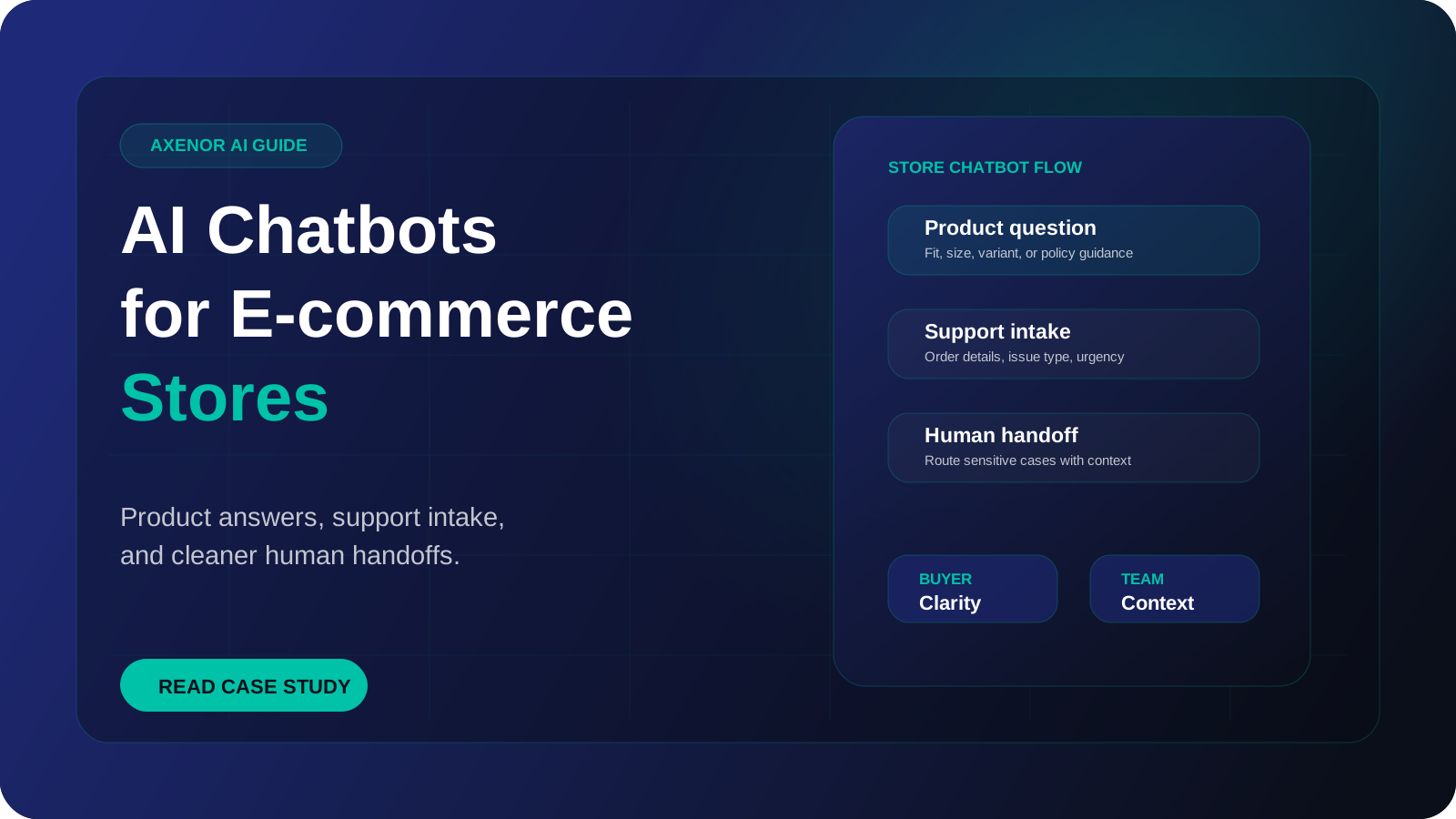
An ecommerce chatbot is an AI assistant on your store, WhatsApp or social inbox that answers shoppers' questions using your own product, policy and order data. It helps people find the right product, tells them where their order is, explains shipping and returns, and passes anything it should not decide to a person. Done well, it takes the repetitive questions off your support inbox and answers pre-purchase questions while the shopper is still on the product page.
What does an ecommerce chatbot do for an online store?
Look at a week of support messages for almost any store and the same few topics fill most of it: where is my order, how do returns work, will this fit, when will it arrive, is this back in stock. None of these need judgement. They need the right piece of information, quickly.
The work splits into two groups.
Before the purchase. A shopper is on a product page with a question that the page does not answer. Does the jacket run small? Does the charger work with their phone model? Can it arrive before Friday? If nobody answers, they leave the tab open and forget about it. A chatbot that answers from your product data and shipping rules removes that pause.
After the purchase. The customer wants an order status, wants to change an address, or wants to send something back. These messages are the bulk of most support inboxes, and nearly all of them can be answered from the order record and the written policy.
A modern chatbot for ecommerce is different from the older button-based widgets because it reads a question in the shopper's own words and writes its answer from your content, instead of forcing people through a fixed menu.
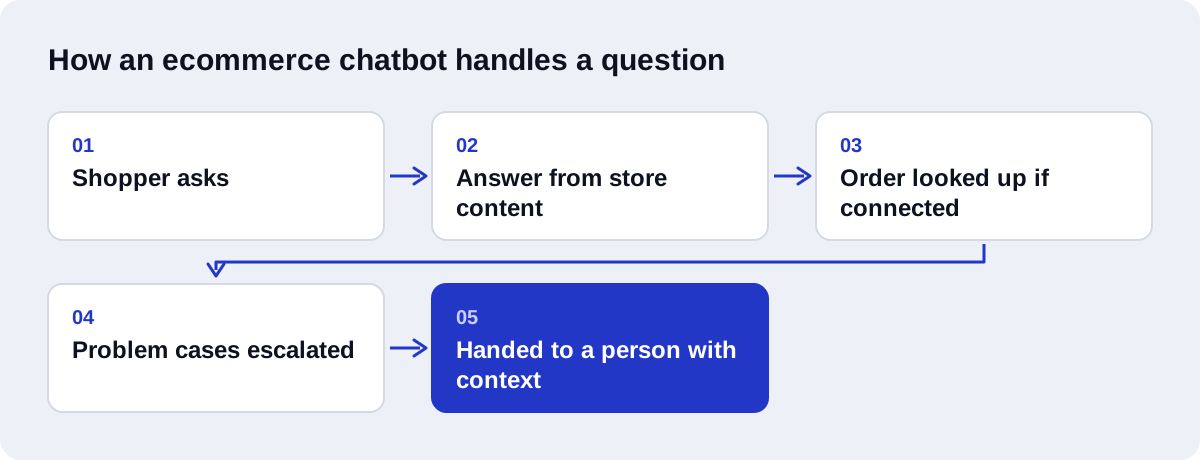
Which questions should the bot answer, and which need a person?
The useful test is whether the answer is already written down somewhere. If it is, the bot can give it. If it requires a decision, an exception or a judgement about a specific customer, it goes to a person.
| Topic | Chatbot handles it | Human handles it |
|---|---|---|
| Order status and tracking | Looks up the order and gives the current status and tracking link | Lost parcels, carrier disputes |
| Shipping costs and delivery times | Answers from your shipping rules for the shopper's country | Custom or bulk shipments |
| Return and exchange policy | Explains the policy and starts the return if the order is eligible | Returns outside the policy, goodwill exceptions |
| Refunds | Explains the timeline and current status | Approving or refusing a refund |
| Sizing and fit | Uses the size chart and fit notes for that product | Unusual fit questions where the data is missing |
| Product comparison and recommendations | Suggests products that match stated needs | Rarely needed |
| Damaged or wrong item | Collects the order number, photos and a description | Decides on replacement or refund |
| Payment failures and suspected fraud | Gives basic troubleshooting steps | Always |
| Angry or upset customers | Acknowledges and escalates at once | Always |
Refunds deserve a clear rule. Let the bot explain and track them. Do not let it promise one. The same goes for discounts: a bot that hands out codes to anyone who complains will be found out quickly.
There is a longer discussion of where the line sits in our comparison of AI chatbots and human customer service.
How does the chatbot know your products and policies?
The model behind an AI chatbot for ecommerce has no knowledge of your store on its own. It needs two kinds of information, and they are handled differently.
Content that is the same for everyone. Product descriptions, size charts, materials, care instructions, shipping rules, the returns policy. This content is split into passages and indexed using embeddings, which are numerical representations of meaning that let the system find the passage closest to a question even when the wording differs. The OpenAI embeddings guide explains the mechanics. When a shopper asks something, the system retrieves the relevant passages and writes an answer from them. This is retrieval-augmented generation, first described in a 2020 paper by Lewis and colleagues. Our plain-language guide to what a RAG chatbot is goes further.
Data that is specific to one customer or changes by the minute. Order status, tracking, stock levels, prices. These should not be indexed as documents, because they go out of date. The bot looks them up live through your store platform's API at the moment the question is asked.
For a Shopify chatbot, that means reading products, inventory and orders through the store's API and the tracking details attached to each fulfilment. Stores on WooCommerce or a custom platform work the same way in principle, as long as the data can be reached through an API or a database.
Getting this split right is most of the work in RAG development for a store. Policies go in the index. Anything with a timestamp gets fetched live.
A worked example: a sizing question that turns into an order
Here is one conversation, step by step.
- A shopper is on the product page for a pair of running shoes and opens the chat. They ask whether the shoes run true to size, because they are between two sizes.
- The chatbot retrieves the fit notes and size chart for that product. The notes say the shoe has a narrow toe box. The bot says so and suggests the larger of the two sizes.
- The shopper asks whether they can exchange them if the size is wrong. The bot gives the exchange terms from the returns policy: the time limit, the condition the shoes must be in, and who pays for return shipping.
- The shopper asks whether the order would arrive before the weekend. The bot checks the shipping rules for the shopper's country and the dispatch cut-off time, and gives the delivery estimate along with the faster option and its cost.
- The shopper asks if there is a discount. The bot does not invent one. It mentions the newsletter sign-up offer that already appears on the site.
- The shopper adds the larger size to the cart and checks out.
- Three days later the same shopper messages to ask where the order is. The bot asks for the order number and the email used at checkout, looks up the order and replies with the carrier, the tracking link and the latest status.
- A week later the shopper writes that the box arrived damaged. The bot apologises, asks for a photo, and passes the conversation to the support team with the order details and the photo attached. A person decides what happens next.
Steps one to seven needed no human. Step eight needed one, and the bot's job was to make that handoff quick.
Where should the chatbot live?
| Channel | Good for | Watch out for |
|---|---|---|
| On-site chat widget | Pre-purchase questions on product and cart pages | Must not cover the add-to-cart button on mobile |
| Order updates and support in markets where customers prefer it | Messages you start yourself need approved templates and opt-in, and are charged | |
| Instagram and Facebook messages | Questions from ads and product posts | Shoppers expect short answers and a direct product link |
| Longer post-purchase issues | Works best as a draft for a person to approve, not a fully automatic reply |
On WhatsApp, cart reminders and shipping notifications count as business-initiated messages. They need a template approved by Meta and the customer's opt-in, and since 1 July 2025 template messages are charged per message under Meta's WhatsApp Business Platform pricing. When a customer messages you first, a 24-hour customer service window opens and free-form replies inside it are free. Plan cart recovery with that in mind, and keep it to a single polite reminder that answers the likely objection.
Chatbot or AI agent: which does a store need?
A chatbot answers. An AI agent also acts.
| Chatbot | AI agent | |
|---|---|---|
| Answers policy and product questions | Yes | Yes |
| Looks up order status | Yes, read only | Yes |
| Creates a return label or exchange | No | Yes, within set rules |
| Updates a shipping address before dispatch | No | Yes, with checks |
| Tags and routes tickets in the helpdesk | Limited | Yes |
| Risk if something goes wrong | A wrong answer | A wrong action, so it needs limits and logging |
Most stores should start with the left column and add actions one at a time once the answers are reliable. When you do reach that stage, AI agent development is mostly about defining exactly what the agent may do without asking.
What to prepare before you build
A clean product catalogue. Titles, descriptions, variants, materials, dimensions and size charts that are complete and consistent. The bot can only be as accurate as the product page.
Policies written as rules, not marketing. Returns, exchanges, refunds, shipping zones, delivery times, cut-off times, warranty. If your policy page says "hassle-free returns" and nothing else, write down the real terms.
Your actual support history. Export a few months of tickets and group them by topic. This shows which questions to cover first and how customers word them.
Macros and saved replies. The answers your team already sends are the best source for tone and content.
Order data access. API credentials for the store platform, and a decision on how the bot verifies identity before showing order details. An order number plus the checkout email is a common minimum.
Escalation rules. Which topics always go to a person, where the handoff lands (helpdesk, shared inbox, Slack), and what the customer is told about response times.
Workflows around the chat. Tagging tickets, notifying the warehouse, logging a return. These are often built as separate n8n automation workflows that the chatbot triggers.
Mistakes to avoid
Launching with thin content. If the bot answers "I'm not sure" to the three most common questions, customers will stop using it within a day.
Indexing prices and stock as static documents. They will be wrong by next week. Fetch them live.
No way out. Every conversation needs a visible route to a person. Hiding it raises frustration and does not lower ticket volume in any way that counts.
Letting the bot make promises. Delivery guarantees, refunds and compensation are decisions. The bot quotes the policy and the estimate, and no more.
Showing order details without verification. An order number alone is not enough to reveal an address.
Popping up on every page. A chat window that opens by itself over the product image on a phone costs sales. Let the shopper open it.
Aggressive cart recovery. Several reminders in a row read as spam and, on WhatsApp, cost money and risk blocks.
Never reading the transcripts. The bot's wrong answers are the clearest list of what is missing from your product pages and policies.
How do you measure whether it is working?
Record where you stand before launch, then track the same things afterwards.
- Resolution without handoff. The share of conversations that end without a person stepping in, checked against transcripts to confirm the customer got a correct answer.
- Handoff rate and reasons. Which topics are escalated most. These show what to add next.
- Ticket volume by category. Order status and returns tickets reaching your human inbox should fall if the bot is doing its job.
- First response time across all channels.
- Customer satisfaction after chat. A one-tap rating at the end of the conversation.
- Chat-assisted orders. Orders placed by shoppers who used the chat in the same session. Treat this as a signal, not proof, since those shoppers may have bought anyway.
- Unanswered and wrong answers. Logged from weekly transcript reviews.
- Returns caused by wrong information. If the bot's sizing advice is poor, it shows up here.
How Axenor AI builds ecommerce chatbots
Axenor AI is a founder-led studio. Every system is built by the founder, Haseeb Sagheer, a software engineer, working remotely. The tools are Python, FastAPI, the OpenAI API, LangChain, Pinecone and n8n. He also built Ask Haseeb AI, an open-source RAG assistant that uses the same retrieval approach described above.
A store build starts with the catalogue, the policies and a sample of real support tickets. From there the work is an AI chatbot for customer support that answers from your content, looks up orders live, and hands over to your team under rules you set.
Chatbot setups usually cost $300 to $800, and workflow automation setups $500 to $2,000. AI agents and RAG assistants are scoped with a fixed price after a consultation. Focused builds usually take 3 to 10 days. Our guide to chatbot pricing explains what moves the cost up or down.
You can read client reviews and our work, or book a free automation audit and bring an export of recent support tickets.