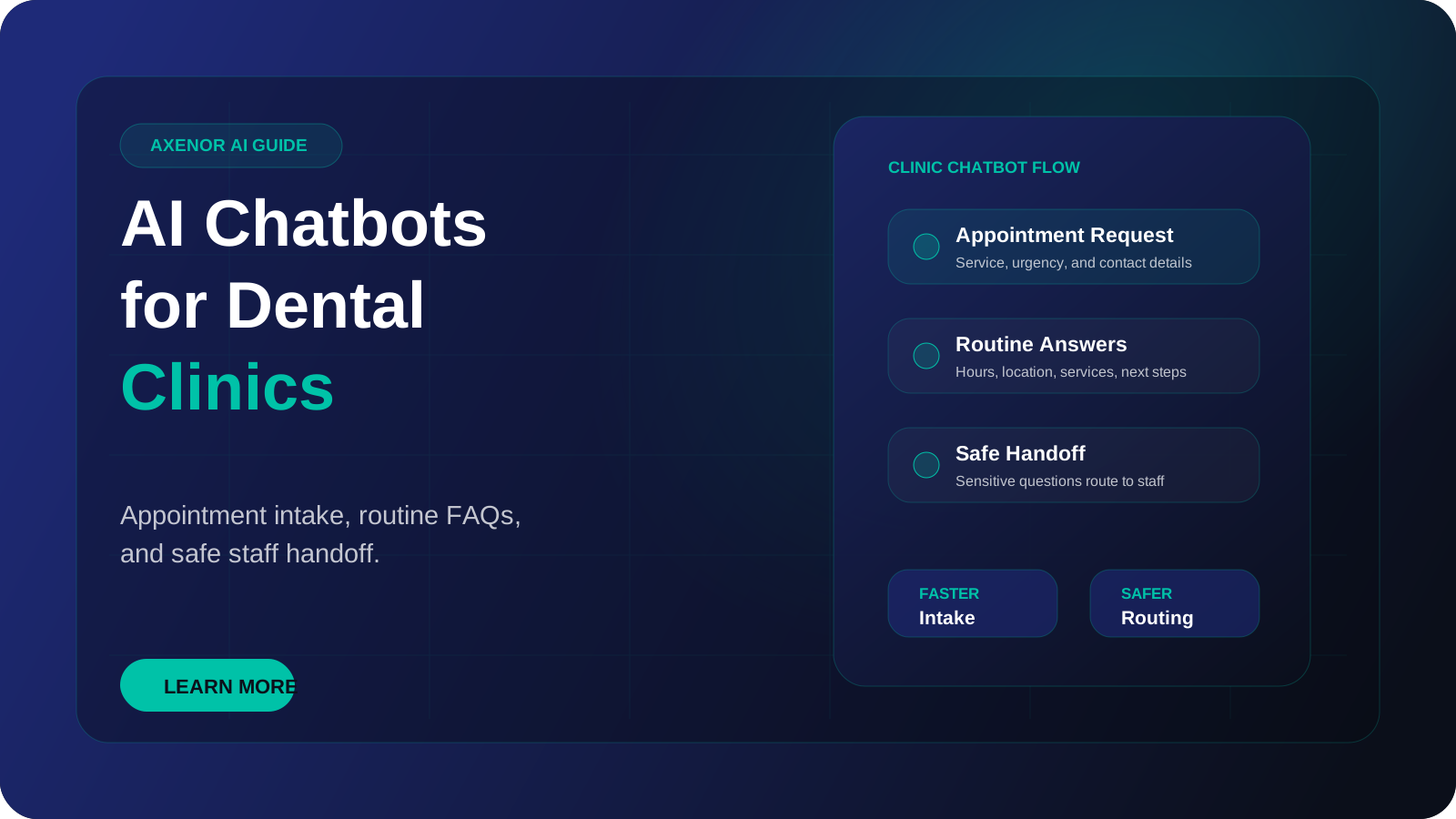
An AI dental receptionist is a chatbot that answers routine patient questions, collects appointment requests and new patient details, and passes anything clinical or urgent to your team. It works on your website and on WhatsApp, including when the front desk is closed. It does not diagnose, it does not give treatment advice, and it does not replace the people who run your practice.
This guide explains what the tool does, where its limits must sit, how a conversation runs from first message to staff handoff, and what it costs to have one built.
What is an AI dental receptionist, and what is it not?
It is a piece of software that reads a patient's message, works out what they are asking, and replies using information your clinic has approved: opening hours, location, parking, the treatments you offer, the payment options you accept, how to book, and what a new patient should bring.
Most current systems use a method called retrieval-augmented generation. The bot looks up the relevant passage in your own documents first, then writes its reply from that passage. The approach was described in the original retrieval-augmented generation paper, and our plain-language guide on what a RAG chatbot is covers how it works in practice. The point for a clinic is simple: the bot answers from your content, not from general knowledge of dentistry.
Here is what it is not:
- It is not a clinician. It cannot examine a patient or assess a symptom.
- It is not a triage nurse. It can recognise words that suggest urgency and route the message, but it must not judge how serious something is.
- It is not your practice management system. It can pass a booking request to staff or, where an integration exists and you want it, to your scheduling tool.
- It is not a replacement for the front desk. It takes the repetitive first layer of messages.
You will also see it called dental AI, a dental chatbot or AI for dental offices.
What should the bot handle, and what must go to staff?
This is the most important decision in the whole project. Write it down before any building starts.
| Type of message | Who handles it | Why |
|---|---|---|
| Opening hours, address, parking, directions | Bot | Fixed facts with one correct answer |
| Which treatments the clinic offers | Bot | Answered from your approved service list |
| How to book, reschedule or cancel | Bot collects the request, staff confirm | Confirmation depends on the real diary |
| New patient intake details (name, contact, reason for visit in the patient's own words) | Bot collects, staff review | Saves a phone call, no judgement needed |
| Messages sent outside working hours | Bot captures and queues | Nothing gets lost overnight |
| General reminder and confirmation messages | Bot or automation | Routine and repeatable |
| Which payment methods or plans you accept, as published | Bot | Only what you have approved in writing |
| Any description of pain, swelling, bleeding or injury | Staff, by the urgent route | Clinical, and possibly an emergency |
| "What treatment do I need?" or "Is this normal?" | Staff | Treatment advice needs a clinician |
| Questions about medication or aftercare for a specific patient | Staff | Clinical and specific to that person |
| Insurance disputes or a disputed bill | Staff | Needs account access and judgement |
| Complaints | Staff | Needs a person who can take responsibility |
| Anything the bot is unsure about | Staff | A wrong guess costs more than a short wait |
The left side of that table is where most of the volume usually sits. That is what makes the tool worth having.
How does an AI dental receptionist conversation work, step by step?
Take a patient who messages your clinic late in the evening asking whether you take new patients and whether they can come in next week.
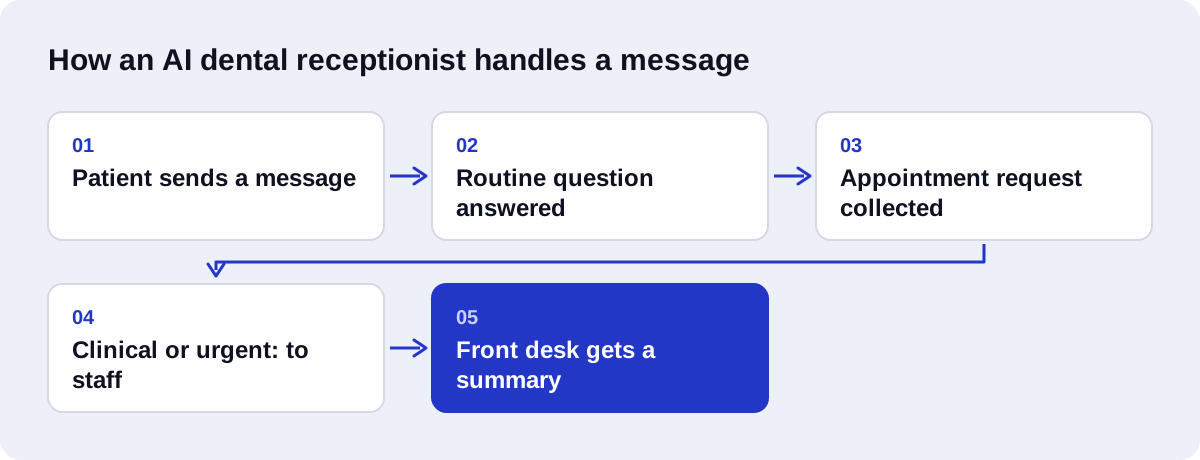
Step 1: the bot says what it is. The first reply states that this is an automated assistant for the clinic, that it can help with general questions and appointment requests, and that it cannot give dental advice. It also states what to do in an emergency.
Step 2: it classifies the message. Before answering anything, the system checks whether the message contains signs of something urgent or clinical. This one does not, so it carries on.
Step 3: it answers from your content. The bot finds the passage in your documents about new patients and replies with it: yes, the clinic accepts new patients, and here is what a first visit involves.
Step 4: it collects the appointment request. It asks for the details your front desk actually needs: full name, phone number, preferred days and times, whether the patient has visited before, and a short reason for the visit in their own words. It asks one question at a time.
Step 5: it sets an honest expectation. The bot does not say the appointment is booked unless it truly is. It says the request has been passed to the team, who will confirm during working hours.
Step 6: it hands over with context. Staff receive one tidy summary: who the patient is, what they asked, when they prefer, and the full transcript. Nobody has to ask the patient to repeat themselves.
Step 7: staff confirm. A person checks the diary, confirms the slot, and the patient gets a confirmation message.
Now change one detail. The patient writes that a tooth has been throbbing for two days and their face is swollen. At step 2 the system detects this. The bot does not comment on the symptom and does not ask follow-up clinical questions. It gives the clinic's urgent instructions exactly as the clinic wrote them, such as the emergency phone number and what to do if the clinic is closed, and it flags the conversation for staff as urgent.
What safety boundaries does a dental chatbot need?
Three rules matter more than any feature.
It never diagnoses. The bot must not suggest what a symptom might be, even with a disclaimer attached. A patient may read a guess as a reassurance.
It never gives treatment advice. That includes which treatment a patient needs, whether something can wait, what to take for pain, and how to care for a specific procedure site. If your clinic has published general aftercare leaflets, the bot can point to the leaflet and tell the patient to call with any concern. It should not interpret the leaflet for an individual.
There is always a clear urgent path. The clinic writes the emergency wording. The bot repeats it word for word whenever urgent signals appear, and the conversation is marked for staff. The urgent path must work outside working hours too, which means the message has to tell the patient what to do right now, not only that someone will reply tomorrow.
When a message is ambiguous, the bot should treat it as clinical and hand over. Test this before launch with the awkward messages a real patient might send.
How should a clinic think about patient privacy?
Patient information is sensitive. A name next to a reason for a dental visit is health information in most people's understanding, and many places regulate it.
Your clinic should check the privacy rules that apply to it. In the United States that includes HIPAA. Other countries have their own health and data protection rules. We are not lawyers and this article is not legal advice. The compliance decision stays with the clinic.
What we can describe are the practical questions worth asking before you go live:
- What information does the bot collect, and is all of it needed?
- Where are conversations stored, and for how long?
- Which outside services does the message pass through, such as the AI model provider and the messaging platform, and what agreements do those services offer?
- Who in the clinic can read the transcripts?
- How does a patient ask for their data to be deleted?
A sensible default is to collect as little as possible. The bot needs contact details and a preferred time to pass on a booking request. It does not need a medical history.
Which channels work for dental AI: website chat or WhatsApp?
Most clinics start with one of two channels.
Website chat suits people who are still choosing a dentist. They are on your site, they have a question, and a quick answer keeps them there. It is the simpler channel to set up.
WhatsApp suits existing patients and regions where people message businesses by default. Two facts are worth knowing. Automation requires the WhatsApp Business Platform, also called the Cloud API, not the free WhatsApp Business app on a phone. And since 1 July 2025 Meta charges per message for template messages, which are the messages a business sends first, such as reminders. When a patient messages you, a 24-hour customer service window opens and free-form replies inside it are free. Meta's pricing page has the current rules. Our WhatsApp AI chatbot service covers the setup. If your patients write in Arabic, an Arabic AI chatbot can reply in the same language.
What do you need to prepare?
The bot is only as good as the material you give it. Before a build, gather:
- A written list of the questions your front desk answers most often, with the answers you want given.
- Your treatment list, described the way you describe it to patients.
- Hours, locations, parking, accessibility and contact details.
- Your booking, cancellation and late arrival policies.
- The exact emergency wording and the number patients should call.
- The fields your team needs for a new patient request.
- The name of the person who will receive handoffs, and where: email, WhatsApp, or a shared inbox.
Our guide on how to train your AI chatbot on your FAQs explains how to turn this material into something the bot can use.
What mistakes do clinics make?
- Letting the bot answer clinical questions "just a little". There is no safe small amount. Route them.
- Saying an appointment is booked when it is only requested. Patients turn up, and the trust is gone.
- No human route. Every conversation needs a way to reach a person.
- Out-of-date content. If your hours change and the bot is not updated, it will state the old hours with confidence.
- Nobody owns the handoffs. A request that reaches an inbox no one checks is worse than a missed call.
How do you measure whether it is working?
Track a small set of metrics and review them monthly:
- Share of conversations resolved without staff
- Handoff rate, split by reason
- Appointment requests captured, and how many came in after hours
- Time from request to staff confirmation
- Urgent messages flagged, and whether each was routed correctly
- Questions the bot could not answer
- Patient feedback on the chat
The list of unanswered questions is the most useful one. It tells you what to add to your content next.
How much does an AI dental receptionist cost?
We can only speak for our own prices. At Axenor AI, chatbot setup usually costs $300 to $800, depending on the channels and how much content there is. The Growth package is $699. Ongoing support and updates are available on a retainer of $350 per month. If you also want the booking request to flow into a CRM or a spreadsheet with follow-up tasks, workflow automation setup is $500 to $2,000.
There are also running costs that go to third parties, not to us: AI model usage, which is billed per token, and WhatsApp template message fees if you send reminders. Both depend on your volume. Our article on the cost of AI chatbots breaks the pieces down.
How Axenor AI builds an AI dental receptionist
Axenor AI is a founder-led studio. Every system is built by founder Haseeb Sagheer, a software engineer, working remotely with Python, FastAPI, the OpenAI API, LangChain, Pinecone and n8n. Focused builds usually take 3 to 10 days.
To be direct about our experience: we are not publishing a dental case study here, and we will not claim results we cannot show. What we bring is the method. We build AI chatbots for customer support that answer from your own documents, and we built an open-source RAG assistant called Ask Haseeb AI on the same approach.
For a clinic, the build runs in this order:
- Agree the boundary table above, in writing, with your team.
- Load your approved content and write the emergency wording with you.
- Build the urgent check so it runs before any answer is generated.
- Set up the staff handoff with a full summary.
- Test with awkward messages, then launch on one channel.
- Review the unanswered questions after the first weeks and update the content.
If you later want requests written into your patient system or follow-ups created for staff, AI-driven CRM automation can be added once the basics are working.
If you want to see whether this fits your practice, book a free automation audit and bring your list of common patient questions.